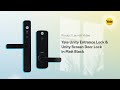
Yale Unity Entrance Smart Lock, Keyless Entry - Matt Black
At A Glance
 At A Glance
 DISPATCHSame Day Before 11am





 Yale Home App
  Contactless Key Tag
  Apple HomeKit
  Remote (Optional Hub 2)
  PIN / Fingerprint
(Add Keypad 2)
The Yale Unity Entrance Lock (YUR/DEL/1/MBK) is a keyless digital smart lock designed specifically for the Australian market. Its patented digital deadlocking technology locks both the internal and external handles of the door, and an inbuilt LED shows the lock status at a glance in three modes - Unlock (green), Locked (yellow) and Secure (red). This listing is the Matt Black finish.
The Unity Entrance Lock runs on the Yale Home App (available on iOS and Android) 
 , giving you app control, one-time and scheduled guest access, and a 24/7 activity trail so you can keep track of who came and went. It also ships with two Yale Contactless Key Tags, and PIN or fingerprint access can be added with the Yale Smart Keypad 2 (sold separately).
Using Bluetooth, Wi-Fi and GPS together with the Yale Home App, the auto-unlock feature releases the door as you approach. An inbuilt door position sensor checks whether the door is open or closed, so the lock will not inadvertently deadlock against an open door. For remote lock and unlock from anywhere - plus Google, Samsung and Amazon Alexa smart-home integration and DualDoor pairing with a Yale Unity Security Screen Door Lock - add the Yale Connect Plus Hub 2 (sold separately). Apple HomeKit works at the lock without the hub.
The Unity Entrance Lock is a 100% keyfree lock built on a 60-70mm backset 530 latch platform, meets Australian lock standards AS4145.2:2008 (SL8 Security, D8 Durability), and is certified to BAL-40 Bushfire Level (AS1530.8.1-2007). It is also available in a Silver finish.
360-degree interactive model - click and drag with your mouse to spin the lock in any direction.
Usually ships same day if ordered before 11am AEST (excludes weekends and Queensland public holidays).

The standard Unity Entrance Lock is certified to BAL-40 Bushfire Level (AS1530.8.1-2007) for ember-attack exposure. It is not tested for fire-rated door assemblies. If you need a smart lock for a rated fire door, choose the Yale Unity Entrance Lock Fire Rated (2 hours to AS1905.1-2015) or the Fire Rated with DDA Lever version. See Chapter 05 - Fire Door Smart Locks for guidance.
 Key Features
- Patented digital deadlocking - locks both the internal and external handles.
- Three-mode status LED: Unlock (green), Locked (yellow) and Secure (red).
- 100% keyfree operation via Yale Home App, Contactless Key Tag, or Yale Smart Keypad 2 (PIN and fingerprint, sold separately).
- Auto-unlock as you approach, using Bluetooth, Wi-Fi and GPS with the Yale Home App.
- Inbuilt door position sensor confirms whether the door is open or closed before locking.
- 24/7 activity trail and tailored user access - one-time, scheduled, or date-range guest codes.
- Two Yale Contactless Key Tags included.
- Remote lock/unlock, voice control and DualDoor screen-door pairing when paired with the Yale Connect Plus Hub 2 (sold separately).
- Apple HomeKit compatible at the lock; Google Home, Samsung SmartThings and Amazon Alexa via the Connect Plus Hub 2.
- Fits standard timber doors 35-60mm thick; 60-70mm backset latch compatible.
- Meets AS4145.2:2008 (SL8 Security, D8 Durability); BAL-40 Bushfire Level (AS1530.8.1-2007); RCM marked.
- Powered by 4 x AA alkaline batteries with a low-battery warning at 20%.
- Internal electronic snib for one-touch locking, unlocking and Secure-mode deadlocking from inside - no phone needed.
- Door-ajar (door-left-open) notifications via the inbuilt door position sensor.
- Break-in and tamper alarm alerts you to interference or forced-entry attempts, with events logged to the activity trail.
- Durable metal Yale Unity Installation Template available for repeat tradesperson installs (sold separately).
Access Methods
 Face Recognition
 Palm Recognition
For a plain-English comparison of smart lock access methods, see Chapter 03 - Access Methods.
 What's in the Box
- 1 x external furniture (keypad/reader side)
- 1 x internal furniture (with battery compartment)
- 1 x 60mm backset latch
- 1 x striker plate and 1 x strike box (with strike box fixing screw)
- 1 x Door Position Sensor (DPS) and 1 x DPS magnet
- 1 x spindle extension shaft, 1 x 34mm spindle extension (45-50mm doors), 1 x 44mm spindle extension (50-60mm doors)
- 4 x 26mm M5 mounting screws (35-45mm doors), 4 x 31mm M5 mounting screws (46-50mm doors), 4 x 41mm M5 mounting screws (51-60mm doors)
- 4 x timber fixing screws
- 2 x Yale Contactless Key Tags
- 4 x AA alkaline batteries
 Suitable Uses
- Residential timber entry and front doors 35-60mm thick, on a 60-70mm backset
- Homes wanting keyless entry with app, key tag and optional PIN/fingerprint access
- Short-stay and rental properties needing one-time or scheduled guest access and a 24/7 activity trail
- Doors that will be paired with a Yale Unity Security Screen Door Lock for single-action DualDoor entry (Connect Plus Hub 2 required)
- Properties in bushfire-prone areas requiring a BAL-40 rated entrance lock (not a fire-door lock)

Outdoor gates or any door where the internal furniture is directly exposed to the weather - the Unity Entrance Lock's external module is IP54 rated for entry-door use, not open-air exposure, and the internal module (with the battery compartment) is not weather rated. It is also not a fire-door lock (see the Fire Rated versions) and has no mechanical key override.
 Available Finish Options
 Matt Black
(This Product)
STK YUR/DEL/1/MBK
Finish selection does not affect functionality, compliance, or performance. Silver is a separate listing.
 Yale Unity Entrance Range
 Accessories & Add-Ons
Installation Template and Nexion Retrofit Kit are Yale accessory items - confirm current availability with Terry's before ordering.
 Full Specifications
 Dimensions

 Battery, Power & Backup Access
- Powered by 4 x AA alkaline batteries, included in the box.
- Battery life is approximately 12 months depending on daily usage.
- A low-battery warning is given at 20% remaining, so batteries can be changed before they are depleted.
- The Unity Entrance Lock is 100% keyfree - there is no mechanical cylinder or backup key. Keep the batteries current and enrol more than one credential type (app plus key tag) so you always have a second way in.
- USB-C emergency power: if the batteries run flat, a USB-C power-up port at the bottom of the front body lets you power the lock momentarily from a phone (with a USB-C to USB adapter) or a USB-C power bank, then enter as normal.
Remote Access & DualDoor (Connect Plus Hub 2 Required)
Out of the box the Unity Entrance Lock works over Bluetooth with the Yale Home App at the door, and is Apple HomeKit compatible. To lock, unlock, change PIN codes and manage user access from anywhere - and to enable Google Home, Samsung SmartThings and Amazon Alexa voice control - pair the lock with the Yale Connect Plus Hub 2 (YAR/SWAA/HUB/-I-D, sold separately). The hub connects to your 2.4GHz Wi-Fi network. If your router merges 2.4GHz and 5GHz bands this can cause drop-offs - see our guide to Wi-Fi band steering and gateway placement.
The Connect Plus Hub 2 also unlocks DualDoor - a single command opens both your Yale Unity Security Screen Door Lock and this entrance lock together. See Dual Unlock explained.

The Yale Unity Entrance Lock (YUR/DEL/1/MBK) has been assessed and declared compliant with the Australian Cyber Security Act (IoT consumer products). Declaration No. Cyber-AU-00007, confirmed 3 February 2026, hardware Rev 1, firmware V2.1.6. Software support is provided for a minimum of 3 years from the declaration date. The declaration covers the Yale Home app for iOS and Android. The full declaration is also in the PDF Files tab. Background: Chapter 11 - cyber security and how Yale complies with the new law.
 Frequently Asked Questions
No - not to operate. Out of the box it works over Bluetooth with the Yale Home App at the door and is Apple HomeKit compatible. Add the Yale Connect Plus Hub 2 (sold separately) only if you want remote control from anywhere, Google/Alexa/Siri voice control, or DualDoor with a Yale screen door lock. The hub joins your 2.4 GHz Wi-Fi; if a lock keeps dropping off, see why smart locks drop off Wi-Fi.

Digital deadlocking (Secure mode) locks both the inside and outside handles so neither opens the door - handy overnight or when you are away - and is set from the Yale Home App or a Contactless Key Tag. The inbuilt LED shows three modes: green (Unlock), yellow (Locked) and red (Secure). On the Fire Rated versions, Secure mode is disabled to meet fire-door requirements.

Yes. The lock is app and key-tag operated at the door, and you can add the Yale Smart Keypad 2 (sold separately) for PIN and fingerprint entry. The keypad pairs wirelessly and mounts outside with no hard-wiring, so it can be added to an existing lock at any time. Credential types are compared in Chapter 03 - Access Methods.

No. Its external module is rated IP54 for entry doors and the internal module is not weather rated, so it should not be used where the internal escutcheon is exposed to the weather, such as an open gate - fit it to an entry door with some shelter over the lock. On the coastal Gold Coast, salt air also shortens the life of any electronic lock; see how long digital locks last in coastal environments.
The Unity Entrance Lock is 100% keyfree, so there is no mechanical key. It runs on 4 x AA batteries (about 12 months) and warns you in good time before they are flat. If they do run down, a USB-C power-up port at the bottom of the front body lets you momentarily power the lock from a phone (with a USB-C to USB adapter) or a USB-C power bank and enter as normal. Background on battery life: the realities of electronic door locks.
 Additional Information
The inside furniture has an electronic snib (button): a single touch locks or unlocks from inside and can engage digital deadlocking (Secure mode), immobilising both handles without reaching for your phone - press it for passage mode on short trips out. Safety note: do not leave the inside handle locked in Secure mode while the home is occupied; only use Secure mode when the building is unoccupied, so no one is prevented from getting out. Why an internal snib needs care: the perils of the internal snib.
The lock monitors for tampering and forced-entry attempts and raises an alert. Because Yale is an ASSA ABLOY brand (not a TTLock lock), the alarm is genuine hardware - you will not get the phantom alerts some TTLock locks produce. A triggered alarm (including a false trigger while installing) can be silenced from the Yale Home App, and every event is written to the 24/7 activity trail. See tamper alert and phantom alerts.

Unlike Yale's Assure Lock series (which accepts plug-in Zigbee and Z-Wave Network Modules), the Unity Entrance Lock talks Bluetooth at the door and reaches the internet, voice assistants and remote control through the Yale Connect Plus Hub 2. If you are weighing Yale's connectivity options, read Yale Network Modules, Zigbee and Z-Wave explained.
The Yale Unity Nexion Retrofit Kit (part YUR/NX/KIT) upgrades Lockwood Nexion Mechanical and Nexion Keyless Entrance locksets to a Unity Entrance Lock. It includes a latch and three strike plates covering 35-45 mm jambs and accommodates the Unity door position sensor and magnet. It is not suitable for fire-door applications; confirm current availability with Terry's before ordering.
This is the standard hinged-door member of the Yale Unity Entrance Series, also available in Silver. Choose the Fire Rated version for rated fire doors, the Fire Rated with DDA Lever for AS1428.1 accessibility, or the Unity Slim for narrow aluminium or timber-framed doors. For an honest overview see our Yale smart locks guide, the Yale brand profile and which app platform is right for you.
 Warranty
Genuine Yale products bought new in Australia from authorised retailers are covered against defects in materials and workmanship for:
- Mechanical parts: 10 years
- Electrical and electronic components: 3 years (batteries excluded)
- Keys: 12 months
 Download PDF Resources
Two-page leaflet for the Unity Entrance Lock in Silver and Matt Black: digital deadlocking, the three LED modes, key tag and Smart Keypad 2 control, auto-unlock, the Nexion Retrofit Kit and the Hub 2 upgrade, then dimensions, packs and the full technical specifications.
The current 12-step installation guide for the Unity Entrance Lock and its Fire Rated versions: tools, components and exploded view, door preparation, handing, the door position sensor and magnet, clutch alignment, furniture, batteries and the strike.
The earlier 2020 edition of the same 12-step guide, kept for reference. It predates the Yale Home rebrand and carries no Fire Rated cautions, so use the V12 guide above for new installs.
Printable paper drilling template for 35-60mm doors at a 60mm backset, marking the through-holes, the 25mm latch hole and the 12.5mm door position sensor hole. It is a paper template, not the metal Yale Unity Installation Template (YUR/TEMPLATE) sold separately.
Setting up and using the Yale Home App: adding the lock, DualDoor setup (page 8), pairing Contactless Key Tags (page 11), auto-unlock, auto-lock, door-ajar alerts and guest access, plus the Unity Entrance Series (page 25) and Unity Entrance Lock (page 27) FAQ pages.
A one-page card: download the Yale Home App and scan the QR code to start setting up your lock.
ASSA ABLOY's Australian Cyber Security Declaration for YUR/DEL/1/MBK: hardware Rev 1, firmware V2.1.6, confirmed 3 February 2026, with a 3-year support period.
ASSA ABLOY Australia's Yale warranty terms: 10 years on mechanical parts, 3 years on electrical and electronic components (batteries excluded), 12 months on keys, the exclusions (including coastal air and salt spray) and how to make a claim.
Yale Unity Entrance Lock - FAQ, Setup and Owner's Guide
A deep reference for the Yale Unity Entrance Lock (Matt Black, SKU YUR/DEL/1/MBK) covering access, Secure mode and safety, remote access, DualDoor, power, door fit and handing, retrofit, the Yale Home App, and troubleshooting. It reworks the official Yale Unity Entrance, Connect Plus Hub 2, Home Module and Yale Home App support guides for Australian buyers. For general questions see Chapter 13 - Smart Lock FAQ and the Ultimate Smart Lock Buyer's Guide.
Access and Credentials
At the door it is operated by the Yale Home App over Bluetooth and by Contactless Key Tag (two tags are included), and it is Apple HomeKit compatible. Add the Smart Keypad 2 for PIN and fingerprint. It is 100% keyfree - there is no mechanical key cylinder.
In the Yale Home App, open the lock, go to the key-tag or credentials area and follow the prompts to enrol a new tag on the lock. Extra tags are available as Yale Contactless Key Tags.
Through the app you can issue App Access (guest uses the app or the keypad), Personal Entry Code Only (keypad-only entry, no app), and Emergency Codes. Codes can be permanent or scheduled, and every entry is logged in the activity trail.
The Yale Home App on iOS or Android - Yale supports the two most recent versions of each; broadly iOS 11 or later and Android 8 or later with Bluetooth 4.0. Choosing a platform? See Chapter 15 - Yale Home and which platform is right for you.
Locking, Secure Mode and Safety
It locks both the inside and outside handles so neither can open the door, set from the Yale Home App or a Contactless Key Tag. It is the highest of the three lock states shown by the LED: green (Unlock), yellow (Locked) and red (Secure).
The inside button manually switches the lock between locked and unlocked, and a single touch can engage deadlocking. Press it for passage mode when you are popping out briefly, so the door stays easy to re-enter.
Yes - for egress safety, do not leave the inside handle locked in Secure mode while the home is occupied. Only engage Secure mode when the building is unoccupied, so no one inside is prevented from getting out quickly.
Auto-lock can relock the door after it closes, and the door position sensor confirms the door is actually shut first so it will not deadlock against an open door. You can also one-touch lock from the snib on your way past.
Remote Access, Voice and the Connect Plus Hub 2
The Yale Connect Plus Hub 2 bridges the lock to the internet so you can lock, unlock and manage users from anywhere, receive live activity and low-battery alerts while away, and add Amazon Alexa, Google Home and Siri voice control. Without it, the activity feed only updates when an owner next connects over Bluetooth.
A 2.4 GHz network. Put your phone on the 2.4 GHz band during setup. If your router hides both bands behind one name, band steering can cause dropouts - see why smart locks drop off Wi-Fi.
No. The Unity Entrance is not Z-Wave or Zigbee compatible - it uses Bluetooth at the door plus the Hub 2 for internet and voice. For a Z-Wave or Zigbee home-automation setup, Yale's Assure series takes plug-in Zigbee/Z-Wave Network Modules instead. Full explainer: Yale Network Modules explained and Chapter 08 - Gateways.
Google Home and Amazon Alexa both require the hub to talk cloud-to-cloud; remote access and away-from-home activity updates also depend on it. Bluetooth-range control at the door works without it.
DualDoor and the Yale Ecosystem
Yes. DualDoor is a Yale Unity-series feature: with the Hub 2, one action unlocks both a Yale Unity Security Screen Door Lock and your entry lock. How it works: Dual Unlock explained. Check the screen-door clearance before ordering.
The Unity Entrance is the standard hinged-door lock, also in Silver. Around it sit the Fire Rated and Fire Rated DDA versions, the narrow-stile Unity Slim, the Grab-and-Go ByYou Pro, face-recognition Luna Pro+, push-pull Kyra Pro, and the retrofit Assure range. Overview: Chapter 10 - Yale brand profile.
Power, Batteries and Resets
Four AA batteries, typically about 12 months, with a low-battery warning in good time. It is 100% keyfree, so keeping fresh batteries and more than one way in (app plus a key tag, or the Smart Keypad 2) is the sensible backup. Battery-life realities: the realities of electronic door locks.
Use the USB-C power-up port at the bottom of the front body: power the lock momentarily from a phone (with a USB-C to USB adapter) or a USB-C power bank, then enter as normal. Hold the connector firmly in the port while powering up.

The soft reset button sits next to the USB-C port on the front and simply restarts the lock (like rebooting a phone) - it does not wipe your settings or credentials. It is the first thing to try for a Bluetooth glitch, and can be done from outside the door.
A factory reset erases all owner and guest data and removes the lock from any keychain, returning it to out-of-box state; do it from the Yale Home App settings for that lock (disconnect any paired keypad first, and be in Bluetooth range to re-calibrate). For a previously-owned lock you cannot reset yourself, Yale support can help the original owner release it. Reset walkthrough for the sister Unity model: Unity troubleshooting and reset guide.
Door Fit, Handing and Installation
Standard hinged entry doors 35-60 mm thick on a 60-70 mm backset, using the Yale 530 latch (the 70 mm backset latch, Y530-222SC, is sold separately for 70 mm doors). Measure first with Chapter 02 - backset and how to measure backset.
Both handles are reversible: hold down the metal slide tab on the inside of each handle and rotate to your chosen hand - the rotation should be smooth, and the inside and outside handles must be set the same way. New to handing? See door handing in Australia.
Hand both handles before fitting; choose the right spindle for the door thickness (extensions for doors over 40 mm) and the matching mounting screws; feed the Door Position Sensor cable through the door-edge hole and line its magnet up in the jamb; and do not close the door until the batteries are in and tested. Common pitfalls: 3 DIY installation mistakes and Chapter 12 - Installation and Troubleshooting. Prefer it done for you? site survey and installation.

Retrofit, Fire and Accessibility
Yes - the Yale Unity Nexion Retrofit Kit (YUR/NX/KIT) upgrades Lockwood Nexion Mechanical and Nexion Keyless locksets to a Unity Entrance Lock, with a latch and three strike plates for 35-45 mm jambs, matched to the Unity door position sensor. It is not suitable for fire doors; confirm availability with Terry's.
Yes. The Unity Entrance Fire Rated is tested to two hours on fire-door assemblies (AS1905.1) with Secure mode disabled for compliance, and the Fire Rated with DDA Lever adds an AS1428.1 accessibility lever. Background: Chapter 05 - Fire Doors and Chapter 09 - DDA and NDIS.
The Unity Entrance is certified to SL8 (Security) and D8 (Durability) under AS4145.2.2008, and to BAL-40 bushfire level (AS1530.8.1). It carries the RCM, and its external module is IP54 rated. See Chapter 11 - Australian Standards and IP ratings.
Yale Home App Essentials

Permanent access for the household, Recurring/scheduled access (for example a cleaner every Tuesday), Temporary date-range access for visitors, and one-time access for a single entry - all without handing over a key, and all logged. This suits short-stay and rental turnovers.
Auto-unlock combines Bluetooth, Wi-Fi and GPS geofencing (Home and Away modes) so the door releases as you arrive, hands-free. It needs the Yale Home App running with location and geofencing enabled, and works best once you have genuinely left the home geofence and are returning. It can be switched off if you prefer to unlock on demand.
Yes - create Smart Alerts (door locked/unlocked, entry-code use, door-ajar with the sensor, low battery) and door-ajar reminders, and set each user as Owner or Guest with their own schedule. Voice control (Alexa, Google, Siri) is available once the Hub 2 is added.
Troubleshooting
Open the Yale Home App, connect to the lock over Bluetooth and dismiss the alarm from the lock screen; the event stays in the activity trail. A false trigger while installing or handling the lock is normal and clears the same way.
That is the Door Position Sensor needing recalibration or the magnet being out of alignment. Re-run the door-position calibration in the app and check the jamb magnet lines up with the sensor in the door edge.
Both usually trace to the spindles not being fully engaged into the latch during assembly (see the assembly step). Re-seat the spindles correctly - forcing a misaligned spindle can damage the lock.
Try the soft reset button next to the USB-C port to restart the lock, and toggle Bluetooth off and on on your phone. If a grinding sound and error beep occur when operating, stop and check the handing and spindle engagement before retrying.
Suitability and Placement
On a hinged entry door with some shelter over the lock. Its external module is IP54 (dust and splash resistant) and the internal module is not weather rated, so the lock is not weatherproof: keep it out of direct rain and off open gates. IP ratings explained: Chapter 11 - IP ratings.
Salt air is the main enemy of exterior hardware. Rinse and wipe the external face periodically and expect salt air to affect longevity; note coastal corrosion is commonly excluded from warranties. See coastal lifespan notes and the realities of electronic locks.
Related Yale Products, Guides and Buyer's Guide Chapters
This lock and its siblings: Unity Entrance (Silver) | Unity Entrance Fire Rated | Fire Rated + DDA Lever | Unity Slim | Unity Kit (Matt Black).
Accessories and pairings: Connect Plus Hub 2 | Smart Keypad 2 | Contactless Key Tag | 530 Deadlatch 70mm | Unity Screen Door + Hub 2 (Silver) | Unity Screen Door + Hub 2 (Black) | Screen Door (Silver) | Screen Door (Black) | Screen Door Mortice Only.
Other Yale smart locks: ByYou Pro | Luna Pro+ (Nova Graphite) | Luna Pro+ (Champagne Gold) | Kyra Pro | Assure Lever | Assure Lock SL | Assure Keyed Deadbolt | Libi Lever | Libi Deadbolt.
Buyer's Guide chapters: 02 Measuring Your Door | 03 Access Methods | 04 Door Types | 05 Fire Doors | 08 Gateways | 09 DDA / NDIS | 10 Yale Brand Profile | 11 Australian Standards | 12 Installation and Troubleshooting | 13 Smart Lock FAQ | 15 App Platforms.
Guides and blogs: Yale smart locks - an honest guide | Yale network modules explained | Dual Unlock explained | Check screen door clearance | Which app platform is right for you | The perils of the internal snib | Realities of electronic door locks | How long do digital locks last | Door handing in Australia | Measuring your lock backset | Why smart locks drop off Wi-Fi | Tamper alert and phantom alerts | 3 DIY installation mistakes | Unity troubleshooting and reset guide | Site survey and installation.
Yale Unity Entrance Lock - What's in the Box
- 1 x external furniture (keypad/reader side)
- 1 x internal furniture (with battery compartment)
- 1 x 60mm backset latch
- 1 x striker plate
- 1 x strike box, with 1 x strike box fixing screw
- 1 x Door Position Sensor (DPS)
- 1 x Door Position Sensor (DPS) magnet
- 1 x spindle extension shaft
- 1 x 34mm spindle extension (45-50mm doors)
- 1 x 44mm spindle extension (50-60mm doors)
- 4 x 26mm M5 mounting screws (35-45mm doors)
- 4 x 31mm M5 mounting screws (46-50mm doors)
- 4 x 41mm M5 mounting screws (51-60mm doors)
- 4 x timber fixing screws
- 2 x Yale Contactless Key Tags
- 4 x AA alkaline batteries

The Yale Connect Plus Hub 2, Yale Smart Keypad 2, Yale Unity Installation Template and Yale Unity Nexion Retrofit Kit are not included and are sold separately.
Box Contents

Installation & Assembly Overview
Yale Unity Entrance Smart Lock Black - Real Installations


Yale Unity Entrance Lock - Dimensions
Yale Unity Entrance Lock - Product Brochure


PDF Files - Yale Unity Entrance Lock, Matt Black
Two-page leaflet for the Unity Entrance Lock in Silver and Matt Black: digital deadlocking, the three LED modes, key tag and Smart Keypad 2 control, auto-unlock, the Nexion Retrofit Kit and the Hub 2 upgrade, then dimensions, packs and the full technical specifications.
The current 12-step installation guide for the Unity Entrance Lock and its Fire Rated versions: tools, components and exploded view, door preparation, handing, the door position sensor and magnet, clutch alignment, furniture, batteries and the strike.
The earlier 2020 edition of the same 12-step guide, kept for reference. It predates the Yale Home rebrand and carries no Fire Rated cautions, so use the V12 guide above for new installs.
Printable paper drilling template for 35-60mm doors at a 60mm backset, marking the through-holes, the 25mm latch hole and the 12.5mm door position sensor hole. It is a paper template, not the metal Yale Unity Installation Template (YUR/TEMPLATE) sold separately.
Setting up and using the Yale Home App: adding the lock, DualDoor setup (page 8), pairing Contactless Key Tags (page 11), auto-unlock, auto-lock, door-ajar alerts and guest access, plus the Unity Entrance Series (page 25) and Unity Entrance Lock (page 27) FAQ pages.
A one-page card: download the Yale Home App and scan the QR code to start setting up your lock.
ASSA ABLOY's Australian Cyber Security Declaration for YUR/DEL/1/MBK: hardware Rev 1, firmware V2.1.6, confirmed 3 February 2026, with a 3-year support period.
ASSA ABLOY Australia's Yale warranty terms: 10 years on mechanical parts, 3 years on electrical and electronic components (batteries excluded), 12 months on keys, the exclusions (including coastal air and salt spray) and how to make a claim.
Yale Warranty
Yale branded products are manufactured and warranted in Australia by ASSA ABLOY Australia Pty Ltd. Coverage is tiered by component type - mechanical parts, electrical and electronic components, and keys each carry their own warranty period. The summary below sets out each period, what is excluded, and how to make a claim through Gold Coast Smart Locks.
This warranty applies to genuine Yale products purchased new in Australia from ASSA ABLOY or its authorised resellers. It operates in addition to your rights under the Australian Consumer Law.
Warranty Summary
How to Make a Claim
For full returns and warranty claim procedures, visit our Returns & Warranty page - this is kept up to date and is the authoritative reference for current claim steps.
- Keep your proof of original purchase (invoice or receipt).
- Contact Gold Coast Smart Locks - operated by Terry's Tradies Pty Ltd and its associated websites, trading names, and subsidiaries - as your authorised retailer, and follow the steps on our Returns & Warranty page.
- Return the product securely packed to protect it in transit, together with your proof of purchase and your name, address, email and phone number.
- ASSA ABLOY assesses the claim. Where the warranty applies, they will (at their option) repair the product, replace it with the same or closest equivalent Yale product, or refund the price you paid.
Claims made directly to ASSA ABLOY require a Case Number from their Customer Service Department before goods are returned - products sent back without a Case Number may not be accepted. Costs of returning a product are the customer's responsibility.
 What Is Not Covered
- Normal wear and tear.
- Misuse, abuse, accident, or use outside Yale's published technical specifications.
- Improper maintenance or neglect, or failure to follow ASSA ABLOY's care and maintenance recommendations.
- Use of batteries other than those specified; batteries themselves are not covered.
- Unauthorised alteration, modification or repair by anyone other than ASSA ABLOY authorised personnel.
- Custom orders made to components or specifications supplied by someone other than ASSA ABLOY.
- Goods that were not new when purchased, second-hand goods, or products not originally sold in Australia through ASSA ABLOY or an authorised reseller.
- Products with brands, marks, plates, numbers or other ASSA ABLOY information defaced or removed.
- Use of substitute, replacement or non-genuine ASSA ABLOY parts or cylinders.
- Corrosive exposure, including vapours, chemicals, abrasive compounds, contamination, pollution, coastal air, salt spray and high humidity.
- Removal, refitment or replacement of products, and any associated charges.
Important Notes
Batteries are consumable and are not covered. Cosmetic finishes and appearance are excluded. Stainless steel resists staining but is not stain-proof - tea staining is a natural process and is not covered where cleaning and maintenance guidelines have not been followed.
Damage from salt spray, coastal air, high humidity and other corrosives is excluded. In Gold Coast and coastal locations, choose a suitable finish and follow the care and maintenance guidance to protect your hardware and preserve your cover.
Your Rights Under the Australian Consumer Law
This manufacturer's warranty is in addition to other rights and remedies you may have under the law. Our goods come with guarantees that cannot be excluded under the Australian Consumer Law. You are entitled to a replacement or refund for a major failure and to compensation for any other reasonably foreseeable loss or damage. You are also entitled to have the goods repaired or replaced if they fail to be of acceptable quality and the failure does not amount to a major failure.
Further Information
Returns & Warranty - goldcoastsmartlocks.com.au
Download the Yale Warranty (PDF)
Official Yale warranty terms - yalehome.com.au
Manufacturer: ASSA ABLOY Australia Pty Ltd, 235 Huntingdale Road, Oakleigh VIC 3166. Tel: 1300WARRANTY. Email: 1300warranty@assaabloy.com

Confused? Overwhelmed? We get it.
Choosing the right smart lock can be genuinely tricky - door types, backsets, app platforms, compatibility with your existing hardware... there is a lot to consider. We have decades of experience fitting locks of all types, including smart locks, and we are happy to help.
Our expert recommendation service is free. Upload a few photos of your door and describe what you need, and one of our qualified locksmiths will give you a personalised recommendation.
Get Your Free Recommendation →How it works - three easy steps:
1. Upload photos
A few clear shots of your door, lock and frame - inside and out.
2. We assess
Our locksmith reviews your setup and requirements - door type, weather exposure, how you want to use it.
3. You get a recommendation
A personalised recommendation tailored to your door, budget and needs. No pressure, no upsell.
Also useful while you are deciding: