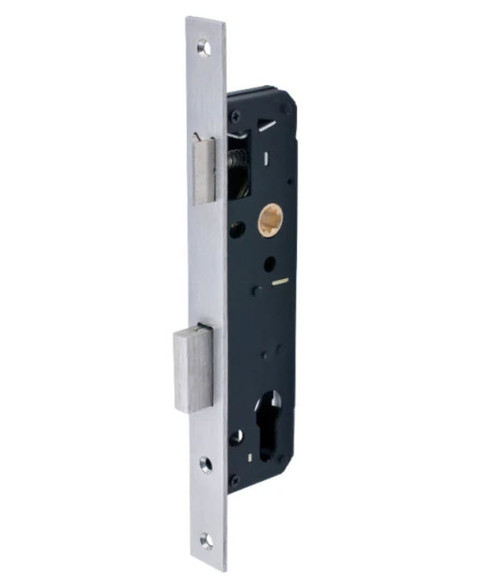
Yale ByYou Pro Smart Mortice Lock - Matt Black
The Yale ByYou Pro is a premium multi-credential smart mortice lock built to make everyday access effortless. Its headline feature is Grab-and-Go unlocking - the fingerprint sensor is set directly into the handle, so you grasp, touch and go in one motion, hands full or not.
Unlock your way with six credential types: fingerprint (up to 99), PIN code (up to 100), RFID Contactless Key Tag (up to 99 users, four included), mechanical key override, the Yale Home App over Bluetooth 
 , and Apple Home Key - tap your iPhone or Apple Watch (Apple Wallet) to enter. A palm touch wakes the keypad, and voice guidance walks you through set-up.
The lock ships in a matt black body with three interchangeable lever finishes in the box (Champagne Gold, Silver and Black), so you can match it to your door straight away. It fits timber and metal doors 40-80mm thick on a 60mm backset mortice, runs on 4 x AA batteries (about 12 months) with a 9V emergency terminal, and carries a genuine break-in / tamper alarm. Add the Yale Connect Plus Hub 2 (sold separately) for remote access and Amazon Alexa, Google and Siri voice control.

Usually ships same day if ordered before 11am AEST (excludes Queensland public holidays).
 Key Features
- Grab-and-Go fingerprint sensor built into the handle - unlock in one seamless motion.
- Six ways in: fingerprint, PIN code, RFID key tag, mechanical key, Yale Home App and Apple Home Key.
- Up to 99 fingerprints, 100 PIN codes and 99 RFID users; four Contactless Key Tags and three mechanical keys included.
- Apple Home Key - tap an iPhone or Apple Watch (Apple Wallet) to unlock; Apple HomeKit compatible at the lock.
- 60mm backset mortice lock with deadbolt and latch bolt; suits doors 40-80mm thick.
- Automatic locking (auto-lock about 5 seconds after closing) or manual lock mode, with a One-Touch palm relock.
- Safe Handle feature disables the outside handle until you authenticate; Internal and External Forced Lock modes for extra security.
- Genuine break-in / tamper alarm plus intrusion and low-battery alarms.
- Fake PIN code, 3-minute lockout after five failed attempts, and Smart Etiquette silent mode.
- Three interchangeable lever finishes included (Champagne Gold, Silver, Black) on a matt black body.
- 4 x AA alkaline batteries (about 12 months), low-battery warning, and a 9V emergency power terminal.
- Yale Connect Plus Hub 2 (sold separately) for smart-home and remote control.
- RCM and R-NZ compliant; ASSA ABLOY Cyber Security Declaration (Cyber-AU-00003).
 Access Methods
 Palm Recognition
 What's In The Box
- Front Body (external, with keypad, RFID reader and fingerprint sensor)
- Main Body (internal, with battery compartment and thumb turn)
- Lock Case (60mm backset mortice body)
- Strike Plate
- Handles / interchangeable lever covers (x4)
- User Manual and Installation Guide
- Fixing screws
- RFID Contactless Key Tags (x4)
- Mechanical Keys (x3)

 Suitable Uses
- Residential and light-commercial entry doors wanting keyless, multi-credential access
- Timber and metal doors 40-80mm thick on a 60mm backset mortice
- Households that want fingerprint Grab-and-Go plus a mechanical key backup
- Apple households wanting Apple Home Key tap-to-unlock
- Homes planning voice control and remote access via the Yale Connect Plus Hub 2

Outdoor gates or any door where the internal escutcheon is exposed to the weather - the lock is IPX4 rated for entry-door use. On the coastal Gold Coast, see how salt air affects electronic locks.
 Interchangeable Lever Finishes
The ByYou Pro has a matt black body and comes with three interchangeable lever covers in the box - swap them to match your door, no extra purchase needed.
 Champagne Gold
(Included) Silver
(Included) Black
Black
(Included)
 Item Codes & Related Parts
Part numbers without a link are related Yale accessories from the ByYou / YDM range; contact Terry's to order.
 Accessories & Add-Ons
- Yale Connect Plus Hub 2 - Wi-Fi gateway for remote lock/unlock and Amazon Alexa, Google and Siri voice control
- Yale Contactless Key Tag - spare or extra RFID tags
- Remote Control and Remote Control Module (optional) - handheld remote locking
- Yale ByYou / YDM Rebate Kit (SYDMRK01) and Aluminium Door Striker Kit (SYDMSK01) - for rebated and aluminium doors
 Full Specifications
 Lock Layout
The numbered diagrams below identify every part of the front (outside) and main (inside) body.


 Dimensions

 Battery, Power & Emergency Access
- Runs on 4 x AA alkaline batteries (included), lasting approximately 12 months at about ten uses a day.
- A low-battery warning (LED and voice) tells you when to change the batteries; replace all four together.
- If the batteries are fully depleted, hold a 9V battery to the emergency power terminal behind the slide-down cover to power the keypad and unlock (9V battery not included).
- The mechanical key override is always available as a physical backup - keep a key off-site.
- Use alkaline batteries only (not rechargeable or lithium). See what really affects battery life.
 Remote Access & Smart Home
- Out of the box the ByYou Pro works over Bluetooth with the Yale Home App and supports Apple Home Key and Apple HomeKit at the lock.
- Add the Yale Connect Plus Hub 2 (sold separately) for lock/unlock from anywhere and Amazon Alexa, Google and Siri voice control.
- Not sure which route suits you? Read which app platform is right for you.


ASSA ABLOY has issued an Australian Cyber Security Declaration for the Yale ByYou Pro (YBYM/60/HK): Declaration Cyber-AU-00003, firmware V4.0.8, with a 3-year product support period, covering the Yale Home app for iOS and Android. Download the Cyber Security Declaration (PDF).
Security Features

The fingerprint sensor is built into the handle, so a single grasp-and-touch unlocks the door - top-tier security with no fumbling for keys.

With Safe Handle enabled, the outside lever is disengaged until you authenticate, so a jiggled or forced handle will not retract the latch. It can be enabled or disabled from the inside.
Enter random digits before or after your real PIN to disguise it from onlookers - the lock still reads your genuine code within the string.
Internal Forced Lock disables outside keypad, RFID and fingerprint entry when you set it indoors (privacy mode). External Forced Lock sounds the alarm if the door is opened from inside while active.
After five unsuccessful attempts with an invalid code, key tag or fingerprint, the lock enters a 3-minute lockout to deter guessing.
The lock sounds an alarm if the front body is forcibly removed (tamper) or the door is forced open (intrusion), and warns on low battery. As a genuine Yale (ASSA ABLOY) feature, these alerts are real - not phantom.
Activate silent mode to unlock discreetly with voice and key tones muted - handy at night or in shared buildings.
Touch the keypad with your palm to relock instantly, or enable Automatic Lock to secure the door about five seconds after it closes.
 Frequently Asked Questions
The fingerprint reader is built into the handle, so your enrolled finger is read the instant you grasp the lever and the door releases in the same motion - there is no separate touchpad step. The lock stores up to 99 fingerprints. See how it compares in Chapter 03 - Access Methods.
Yes. Add the lock to Apple Wallet and tap your iPhone or Apple Watch on the reader to enter, and it is Apple HomeKit compatible at the lock. You need an iPhone XS or newer on iOS 15+, or an Apple Watch Series 4 or newer on watchOS 8+; a HomePod, HomePod mini or Apple TV set as a home hub is needed for remote or automated control. There is a step-by-step Apple Home Key registration video in the FAQ tab.
Not to operate the lock. Out of the box it runs over Bluetooth with the Yale Home App and supports Apple Home Key. Add the Yale Connect Plus Hub 2 (sold separately) only if you want to lock, unlock and manage users from anywhere, and to add Amazon Alexa, Google and Siri voice control. More on gateways in Chapter 08 - Gateway Comparison.
Yes. The ByYou Pro has a mechanical key override (keys included) behind the slide cover, plus a 9V emergency terminal so you can momentarily power the keypad with a 9V battery and enter your PIN. The lock also warns you well before the batteries are flat. See mechanical key override explained.
It suits timber and metal entry doors 40-80mm thick on a 60mm backset mortice, and the decorative handle is reversible for left or right-hand doors. Confirm your backset and door thickness first; a rebate kit and aluminium-door striker kit are available for the ByYou/YDM platform.
 Additional Information
The ByYou Pro gives four credentials at the lock - fingerprint (Grab-and-Go, up to 99), PIN code (4 to 10 digits), RFID Contactless Key Tag (up to 99, four included) and mechanical key override - plus two more through the built-in module: the Yale Home App over Bluetooth and Apple Home Key. A single key tag can open any number of ByYou Pro locks, and most standard Mifare cards can be enrolled (some secured cards are restricted). Compare credential types in Chapter 03 - Access Methods.
Keep at least one mechanical key off-site - the keyhole sits behind the slide-down cover on the front body. Each cylinder has a unique key profile, so it cannot be keyed alike to your existing house keys; if you have bought a home without the previous owner's key, Yale can supply a replacement cylinder with keys. Spare key blanks can be ordered and cut by a locksmith. Background: mechanical key override on smart locks.
The lock offers two locking behaviours - Automatic (it relocks itself after the door closes) and Manual - selected on a switch inside the battery cover; the auto-relock time is factory-set and cannot be changed. A built-in Safe Handle (child-egress) mode can also be enabled so the inside button must be pressed before the lever will release the door, which is useful in homes with young children (see the Owner's Manual Safe Handle section).
Privacy Mode (Internal Forced Lock) disables the keypad so the door can only be opened from outside with the mechanical key - handy at night or when the home is occupied. External Forced Lock Mode is armed after locking by holding a registered key tag on the reader for five seconds or entering a PIN then holding #; opening the door from inside or by key then triggers the alarm. Read why an internal snib needs care in the perils of the internal snib.
The ByYou Pro is Yale's Grab-and-Go mortice lever lock. For facial recognition on the same 60mm mortice platform, look at the Yale Luna Pro+ (also in Champagne Gold); for a push-pull mortice without face, the Yale Kyra Pro. For hinged-door escutcheon locks see the Unity Entrance series in Matt Black or Silver, or the narrow-stile Unity Slim. For an honest overview read our Yale smart locks guide and the Yale brand profile.

Genuine Yale products bought new in Australia from authorised retailers are covered against defects in materials and workmanship for:
- Mechanical parts: 10 years
- Electrical and electronic components: 3 years (batteries excluded)
- Keys: 12 months
Yale ByYou Pro - FAQ, Setup and Owner's Guide
A deep reference for the Yale ByYou Pro (SKU YBYM/60/HK) covering access methods, Apple Home Key, remote access, DualDoor pairing, locking behaviour, power, keys, installation and the Yale Home App. It draws on the official Yale ByYou Pro, Connect Plus Hub 2, Home Module and Yale Home App support guides, rewritten for Australian buyers. For general smart-lock questions see Chapter 13 - Smart Lock FAQ, and for the full range read the Ultimate Smart Lock Buyer's Guide.
Access and Credentials
There are four ways to unlock at the lock itself - fingerprint (Grab-and-Go), PIN code, RFID Contactless Key Tag and the mechanical key override - plus two through the built-in module: the Yale Home App over Bluetooth and Apple Home Key. See a side-by-side of methods in Chapter 03 - Access Methods.
PIN codes are 4 to 10 digits, which lets you set memorable codes for family and longer codes for higher security. You can also issue one-time and time-limited visitor codes through the app. A fake-PIN feature lets you pad your real code with random digits so it cannot be read over your shoulder.

The lock holds up to 99 fingerprints and up to 99 RFID key tags (four Contactless Key Tags are supplied in the box). Add more tags any time from Yale Contactless Key Tags.
Most standard Mifare cards and tags can be enrolled to the lock. Some secured or encrypted cards are locked to their issuing system and cannot be paired - if a card will not enrol, that is why.
Yes - there is no limit to the number of ByYou Pro locks a single key tag can be paired to, which is handy for a front and rear door on the same tag.

No. The ByYou Pro does not use facial recognition, and the palm sensor only wakes the keypad - it is not a palm-unlock credential. If you want 3D face recognition on the same 60mm mortice platform, look at the Yale Luna Pro+, explained in Chapter 06 - Facial Recognition.
Apple Home Key and Smartphone Control
You need an iPhone XS or newer running iOS 15 or later, or an Apple Watch Series 4 or newer running watchOS 8 or later. For remote or automated Home Key control you also need a HomePod, HomePod mini or Apple TV set up as an Apple home hub. Keep both the device and the Yale Home App on the latest software. Walkthrough: registering the ByYou Pro with Apple Home Key.
Yes. Android users control the lock through the Yale Home App
the same as iPhone users; Apple Home Key is the only iPhone/Apple Watch-specific method.
The Yale module is built into the ByYou Pro, so there is no separate part to fit. Switch the lock into Advanced Mode with your administrator code, activate Bluetooth pairing on the keypad, then follow the in-app steps to register the lock. Choosing a platform? See which smart lock platform is right for you.
In Normal mode you manage user codes, key tags and visitor codes directly at the lock. Advanced mode does everything Normal mode does and additionally registers the built-in Yale module, which unlocks the full Yale Home App experience - remote-ready control, activity history and user sharing.
Remote Access, Voice and the Connect Plus Hub 2
Only for remote features. The lock works locally over Bluetooth without any hub. Add the Yale Connect Plus Hub 2 when you want to lock, unlock and manage users from anywhere and to enable Amazon Alexa, Google Home and Siri voice control.
The single-device Wi-Fi Bridge connects one Yale lock. The Connect Plus Hub 2 supports up to 16 Bluetooth and 30 Zigbee Yale devices with better range, and it is what enables DualDoor. Gateway generations are compared in Chapter 08 - Gateway Comparison.
A 2.4 GHz network (802.11 b/g/n). Put your phone on the 2.4 GHz band during setup; you can move it back to 5 GHz afterwards. If your router hides both bands under one name, see why smart locks drop off Wi-Fi (band steering).
The Hub 2 has no backup battery. During an internet or power outage you keep Bluetooth control within range of the lock, but remote access pauses; once power and internet return the Hub reconnects automatically. Your PIN, fingerprint, key tag and mechanical key all keep working regardless.
Past about 10 connected devices you may notice a slight increase in response time. For a busy smart home you can add a second Hub for coverage.
The ByYou Pro already has a built-in keypad and module, so it does not use the Yale Zigbee Network Module or the plug-in Yale Home Module (those are for the Assure series), and the external Yale Smart Keypad 2 is a Unity Entrance/Screen Door accessory, not a ByYou part. Module differences are explained in Yale network modules explained.
DualDoor and the Yale Ecosystem
Yes. With the Connect Plus Hub 2, DualDoor lets one action unlock both a Yale Unity Security Screen Door Lock and your ByYou Pro together - no fumbling for two keys. Pair it with the screen door lock in Matt Black or Silver. How it works: Dual Unlock explained.
Confirm the gap between your screen door and main door before ordering, so both locks sit and operate cleanly. Use our screen door clearance guide and Chapter 04 - door types.
It is the Grab-and-Go mortice lever lock. Related options: the push-pull Kyra Pro and face-recognition Luna Pro+ on the same mortice platform; the hinged-door Unity Entrance and narrow-stile Unity Slim; and the retrofit Assure Lever / Assure Keyed deadbolt range. Brand overview: Chapter 10 - Yale brand profile.
Locking Behaviour and Safety
You choose. A switch inside the battery cover selects Automatic relocking (the lock secures itself after the door shuts) or Manual. The auto-relock timing is set at the factory and cannot be adjusted.
Safe Handle is a child-safety mode built into the inside handle. When enabled, the button on the inside lever must be pressed before the handle will release the door, which helps stop young children opening the door unaided. It is set up per the Safe Handle section of the Owner's Manual.
Privacy Mode (Internal Forced Lock) switches off the keypad so the door can only be opened from outside with the mechanical key - useful overnight. External Forced Lock is armed after locking by holding a registered key tag on the reader for five seconds, or entering your PIN and holding #; the lock beeps three times to confirm, and opening from inside or by key then sounds the alarm. Read the cautions in the perils of the internal snib.
Yes. Yale is an ASSA ABLOY brand, not a TTLock lock, so the break-in and tamper alarms are real hardware features that trigger on a genuine attack. You will not get the phantom alerts some TTLock locks produce - background on that here: tamper alert and phantom alerts.
Power and Batteries
It runs on 4 x AA batteries, typically about 12 months depending on use, and gives a clear low-battery warning before they run flat. Real-world battery-life factors are covered in the realities of electronic door locks.
No - use quality alkaline AA batteries only. Rechargeable and lithium cells can deliver the wrong voltage and may damage the lock.
You have two backups: touch a 9V battery to the emergency terminals to momentarily power the keypad and enter your PIN, or use the mechanical key override behind the slide cover. See what to do when the battery dies.
Keys, Cylinders and Rekeying
No. Each cylinder has its own unique key profile, so it cannot be matched to your existing house keys.
Yes. Order key blanks and have a locksmith cut them, and if you have moved into a home without the previous owner's key, Yale supplies replacement cylinders with keys as a straightforward swap.
Behind the slide-down emergency cover on the front escutcheon. Keeping a spare key off-site is wise - see where the keyhole is hidden.
 Installation, Setup and Videos
We recommend a professional locksmith or a confident, advanced DIYer - it is a mortice lock and needs accurate door preparation. Terry's can supply and install: site survey and installation services.
Timber and metal entry doors 40-80mm thick on a 60mm backset mortice. The decorative handle is reversible, so it works on left or right-hand doors. Measure first with Chapter 02 - backset, how to measure backset and door handing in Australia.
The ByYou Pro ships with three interchangeable lever finishes (Champagne Gold, Silver and Black). Remove the decorative plate with a 2mm hex (Allen) key, then swap the lever. Step-by-step: how to change the decorative plate.
Yes - the official Yale guides: ByYou mortice installation, Apple Home Key registration and changing the decorative plate. Common fitting mistakes are covered in 3 common DIY installation mistakes and Chapter 12 - Installation and Troubleshooting.
Remove the front cover and batteries, press the reset pads while reinserting the batteries, then follow the voice prompts. A reset clears every user code, fingerprint and key tag back to the Master Code only, so you then re-add your PINs, tags and fingerprints in the Yale Home App.
 Suitability and Placement
No. The ByYou Pro is IPX4 rated for residential entry doors and must not be used where the internal escutcheon is exposed to the weather, such as an open gate. IP ratings are explained in Chapter 11 - Australian Standards and IP ratings.
IPX4 means the lock resists splashing water from any direction, which suits a covered entry. It is not fully weatherproof - keep it clear of direct rain and sprinklers.
Salt air is the main enemy of any exterior hardware. Rinse and wipe the external face periodically, and note that coastal and salt-air corrosion is commonly excluded from smart-lock warranties. See how long digital locks last (coastal) and the realities of electronic locks.
Yale Home App Essentials
From the Yale Home App you can grant Always access, Recurring access (repeating windows, for a cleaner or dog walker) or Temporary access (a one-off or date range for a guest), and revoke any of them at any time - no keys to hand out or get back.
Auto-lock secures the door after you leave, immediately or after a set delay. Auto-unlock uses your phone's location (Home and Away geofencing) to release the door as you arrive, so you can walk straight in. A door-position sensor also tells you whether the door is actually closed before it locks.
Yes, once the Connect Plus Hub 2 is added: voice control through Amazon Alexa, Google Home and Siri, plus remote lock/unlock and PIN management. Platform detail: Chapter 15 - Yale Home.
Related Yale Products, Guides and Buyer's Guide Chapters
Accessories: Connect Plus Hub 2 | Contactless Key Tag.
Other Yale smart locks: Luna Pro+ (Nova Graphite) | Luna Pro+ (Champagne Gold) | Kyra Pro | Unity Entrance (Matt Black) | Unity Entrance (Silver) | Unity Entrance Fire Rated | Unity Entrance Fire Rated + DDA Lever | Unity Slim | Unity Screen Door + Hub 2 (Black) | Unity Screen Door + Hub 2 (Silver) | Assure Lever (Black) | Assure Lever (Satin Chrome) | Assure Lock SL (Black) | Assure Keyed Deadbolt (Black) | Libi Digital Lever | Libi Digital Deadbolt.
Buyer's Guide chapters: 02 Measuring Your Door | 03 Access Methods | 04 Door Types | 06 Facial Recognition | 08 Gateways | 10 Yale Brand Profile | 11 Australian Standards | 12 Installation and Troubleshooting | 13 Smart Lock FAQ | 15 App Platforms.
Guides and blogs: Yale smart locks - an honest guide | Yale network modules explained | Dual Unlock explained | Which app platform is right for you | Mechanical key override | Realities of electronic door locks | How long do digital locks last | Door handing in Australia | Measuring your lock backset | The perils of the internal snib | Why smart locks drop off Wi-Fi | Check screen door clearance | 3 common DIY installation mistakes | Site survey and installation.
What's In The Box
Installation & Assembly


Yale ByYou Pro - Dimensions
 Yale ByYou Pro - Product Brochure


Yale Warranty
Yale branded products are manufactured and warranted in Australia by ASSA ABLOY Australia Pty Ltd. Coverage is tiered by component type - mechanical parts, electrical and electronic components, and keys each carry their own warranty period. The summary below sets out each period, what is excluded, and how to make a claim through Gold Coast Smart Locks.
This warranty applies to genuine Yale products purchased new in Australia from ASSA ABLOY or its authorised resellers. It operates in addition to your rights under the Australian Consumer Law.
Warranty Summary
How to Make a Claim
For full returns and warranty claim procedures, visit our Returns & Warranty page - this is kept up to date and is the authoritative reference for current claim steps.
- Keep your proof of original purchase (invoice or receipt).
- Contact Gold Coast Smart Locks - operated by Terry's Tradies Pty Ltd and its associated websites, trading names, and subsidiaries - as your authorised retailer, and follow the steps on our Returns & Warranty page.
- Return the product securely packed to protect it in transit, together with your proof of purchase and your name, address, email and phone number.
- ASSA ABLOY assesses the claim. Where the warranty applies, they will (at their option) repair the product, replace it with the same or closest equivalent Yale product, or refund the price you paid.
Claims made directly to ASSA ABLOY require a Case Number from their Customer Service Department before goods are returned - products sent back without a Case Number may not be accepted. Costs of returning a product are the customer's responsibility.
What Is Not Covered
- Normal wear and tear.
- Misuse, abuse, accident, or use outside Yale's published technical specifications.
- Improper maintenance or neglect, or failure to follow ASSA ABLOY's care and maintenance recommendations.
- Use of batteries other than those specified; batteries themselves are not covered.
- Unauthorised alteration, modification or repair by anyone other than ASSA ABLOY authorised personnel.
- Custom orders made to components or specifications supplied by someone other than ASSA ABLOY.
- Goods that were not new when purchased, second-hand goods, or products not originally sold in Australia through ASSA ABLOY or an authorised reseller.
- Products with brands, marks, plates, numbers or other ASSA ABLOY information defaced or removed.
- Use of substitute, replacement or non-genuine ASSA ABLOY parts or cylinders.
- Corrosive exposure, including vapours, chemicals, abrasive compounds, contamination, pollution, coastal air, salt spray and high humidity.
- Removal, refitment or replacement of products, and any associated charges.
Important Notes
Batteries are consumable and are not covered. Cosmetic finishes and appearance are excluded. Stainless steel resists staining but is not stain-proof - tea staining is a natural process and is not covered where cleaning and maintenance guidelines have not been followed.
Damage from salt spray, coastal air, high humidity and other corrosives is excluded. In Gold Coast and coastal locations, choose a suitable finish and follow the care and maintenance guidance to protect your hardware and preserve your cover.
Your Rights Under the Australian Consumer Law
This manufacturer's warranty is in addition to other rights and remedies you may have under the law. Our goods come with guarantees that cannot be excluded under the Australian Consumer Law. You are entitled to a replacement or refund for a major failure and to compensation for any other reasonably foreseeable loss or damage. You are also entitled to have the goods repaired or replaced if they fail to be of acceptable quality and the failure does not amount to a major failure.
Further Information
Returns & Warranty - goldcoastsmartlocks.com.au
Download the Yale Warranty (PDF)
Official Yale warranty terms - yalehome.com.au
Manufacturer: ASSA ABLOY Australia Pty Ltd, 235 Huntingdale Road, Oakleigh VIC 3166. Tel: 1300WARRANTY. Email: 1300warranty@assaabloy.com

Confused? Overwhelmed? We get it.
Choosing the right smart lock can be genuinely tricky - door types, backsets, app platforms, compatibility with your existing hardware... there is a lot to consider. We have decades of experience fitting locks of all types, including smart locks, and we are happy to help.
Our expert recommendation service is free. Upload a few photos of your door and describe what you need, and one of our qualified locksmiths will give you a personalised recommendation.
Get Your Free Recommendation →How it works - three easy steps:
1. Upload photos
A few clear shots of your door, lock and frame - inside and out.
2. We assess
Our locksmith reviews your setup and requirements - door type, weather exposure, how you want to use it.
3. You get a recommendation
A personalised recommendation tailored to your door, budget and needs. No pressure, no upsell.
Also useful while you are deciding: