
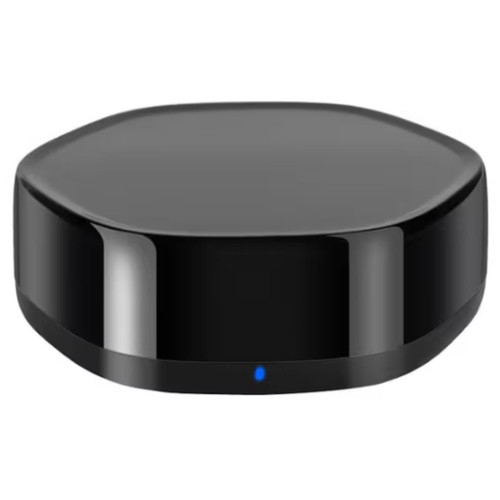


FORGE Zigbee 3.0 and Bluetooth Smart Home Gateway with IR Control
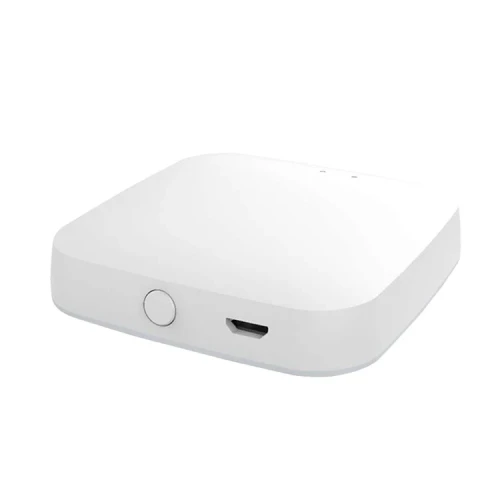
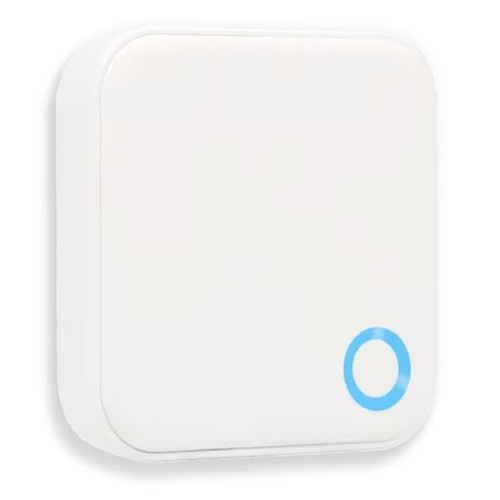
The FORGE Zigbee 3.0 and Bluetooth Smart Home Gateway with IR Control (FESMBTZGBIRGTWA) is a compact black smart home hub with a built-in infrared (IR) remote. It runs Zigbee 3.0 and Bluetooth smart devices - the FORGE Tuya smart locks among them - and the TVs, air-conditioners and other appliances you normally work with a handheld remote, all from the Tuya app.
It sends infrared in every direction to reach appliances across a room, learns buttons from remotes it does not already know, and joins a 2.4 GHz Wi-Fi network so you can control everything from anywhere. It powers from a standard 5 V USB adapter through its Micro USB port. Made in China for FORGE, an Australian brand based in Ringwood, Victoria.

Usually ships in 24 hours.

Owned by FORGE Electrical (Australia) · Manufactured in China. Our independent FORGE brand profile sets out how the range compares with the other brands we stock.
 Key Features
- Smart hub and universal remote in one - Zigbee 3.0 and Bluetooth for smart devices, infrared for appliances, all in the Tuya app.
- Remote access for FORGE Tuya locks - the same Zigbee 3.0 and Bluetooth bridge as the white FORGE gateway: it links the Bluetooth locks to your Wi-Fi for remote use and sits alongside the Wi-Fi locks as a hub. See the compatible locks.
- Controls infrared appliances - TVs, air-conditioners, set-top and TV boxes, fans and audio systems that use an infrared remote.
- Remote library plus learning - pick your appliance's brand from the built-in library, or teach the hub buttons from almost any infrared remote.
- Whole-room coverage - sends infrared in every direction, so one hub can reach several appliances in the same room.
- Schedules, scenes and automations - the air-con on before you get home, the TV off at bedtime, or appliances that respond to Zigbee sensors.
- Control from anywhere - on your 2.4 GHz Wi-Fi, the app works away from home as well as on the couch.
- One of our modules and Wi-Fi gateways.


 How It Works
The hub joins your Wi-Fi router and links three kinds of device to the Tuya app:
- Zigbee 3.0 devices - sensors, plugs, switches and lights pair to the hub and form a low-power mesh.
- Bluetooth devices - Bluetooth smart devices within range of the hub.
- Infrared appliances - the hub sends the same infrared signals as the appliance's own remote.
Commands from the app travel over the internet to the hub, which passes them on by Zigbee, Bluetooth or infrared. The Tuya platform is covered in Chapter 15, and gateways in general in Chapter 08 - what a gateway actually does.
 Infrared Remote Control - TVs, Air-Conditioners and More
Infrared is the invisible light a TV or air-conditioner remote uses. The hub carries a library of remote codes for common appliance brands: choose the appliance type and brand in the app, test a few buttons, and the app gives you an on-screen remote. If your appliance is not in the library, learning mode copies its remote button by button.

Appliances with an infrared remote - most TVs, split-system and window air-conditioners, set-top and TV boxes, fans and audio systems.

Remotes that work by radio (RF) or Bluetooth - many ceiling fans, garage door and gate remotes, and some newer TV and soundbar remotes. Not sure which kind you have? Send us the appliance model.
Infrared needs a clear line of sight. Place the hub in the same room as the appliances, out in the open rather than inside a cabinet, within about 10 m.
 Compatible Locks
This hub has the same Zigbee 3.0 and Bluetooth radios as the FORGE Zigbee 3.0 and Bluetooth Dual Mode Smart Home Gateway, so it serves the same FORGE locks: every lock that runs on Tuya, or comes in a Tuya version. The Bluetooth locks need a gateway for remote use - this one bridges their Bluetooth to your Wi-Fi the way the G5 does for the TTLock locks - and the Wi-Fi locks take it as an optional hub. Choose it over the white gateway when you also want appliance control.


Not for the FORGE TTLock locks - they take the FORGE TTLock G5 gateway. For any other lock, send us the model before ordering.
 FORGE Gateways - Item Code Family
Three FORGE gateways, each for a different job - choose by the app your lock uses and whether you also want appliance control.


 FORGE FESMBTZGBIRGTWA - Specifications
 Setup and Placement
- Install the Tuya Smart app (Smart Life works the same way), register, and turn on Bluetooth and location on your phone.
- Plug the hub in where it has a clear view of the appliances you want to control - out in the open, not inside a cabinet - and within reach of your Wi-Fi.
- Put the hub into pairing mode - its light flashes quickly; if it does not, hold the reset button (a small pinhole) until it does - then tap Add Device in the app and enter your 2.4 GHz Wi-Fi details.
- Add each appliance: select the hub in the app, choose the appliance type and brand, and test the buttons. If no library code works, use learning mode and press each button on the original remote while pointing it at the hub.
- Add Zigbee and Bluetooth devices through the hub in the app.
Want it set up for you? We offer installation across the Gold Coast.
 Frequently Asked Questions
Any appliance with an infrared remote - most TVs, air-conditioners, set-top and TV boxes, fans and audio systems. Remotes that work by radio (RF) or Bluetooth are not supported.
Yes. Infrared travels in straight lines like light, so the hub needs a clear path to each appliance, ideally in the same room and within about 10 m. For appliances in different rooms, use one hub per room.
Use learning mode: point the original remote at the hub, press each button you want, and the app saves them as a custom remote.
Yes. It has the same Zigbee 3.0 and Bluetooth radios as the white FORGE gateway, so it bridges the FORGE Tuya Bluetooth locks to your Wi-Fi for remote use and sits alongside the Wi-Fi models as an optional hub - see the compatible locks.
Yes - the hub joins 2.4 GHz networks only. Most routers broadcast both bands under one name; if the hub will not join, see band steering and the most common cause of Wi-Fi trouble.
 Additional Information
- Infrared is one-way. The hub sends the command but cannot see whether the TV or air-con responded, so the app may show an appliance as on when it missed the signal. Keep the hub's view clear and check the appliance after setting up a schedule.
- One hub per room for infrared. Infrared does not pass through walls; Zigbee devices elsewhere in the house still connect through the Zigbee mesh.
- Pair it with sensors. An automation can turn the air-conditioner off when a Zigbee window sensor reports the window open.
- Keep it powered. Schedules, scenes and remote control stop while the hub is unplugged or offline.
- Only need a gateway for a FORGE lock? The white FORGE Zigbee 3.0 and Bluetooth Dual Mode Smart Home Gateway does the same job for the locks without the infrared remote.
 Warranty
2-year FORGE warranty from the date of delivery - covers defects in materials and workmanship under normal use. Excludes improper installation or maintenance, misuse, accident, normal wear and tear (including fading or dulling of finishes) and water damage beyond the product's rated IP protection. Proof of purchase required for all claims. Returns & Warranty | FORGE warranty terms
FORGE Zigbee 3.0 and Bluetooth Smart Home Gateway with IR Control - FAQ, Setup and Owner's Guide
Everything below is here to help you choose, set up and live with this hub. For general smart lock questions see our Smart Lock FAQ (Chapter 13), and for how gateways compare, Chapter 08 of our Buyer's Guide.
Choosing the Right Hub
Both have Zigbee 3.0 and Bluetooth and join 2.4 GHz Wi-Fi. This black hub adds the infrared remote for appliances. Both serve the same FORGE Tuya locks; the white gateway is the plainer choice when appliance control is not wanted.
Every FORGE lock on Tuya. The Bluetooth locks need it for remote use: FORGE K5 Fingerprint Outdoor Smart Key Safe, FORGE H2 Frameless Glass Door Handle Smart Lock, FORGE A7 Automatic Push Pull Smart Lock, FORGE A7X Automatic Push Pull Smart Lock, FORGE A2 Automatic Push Pull Smart Lock, FORGE Smart Handle Mortice Lock, FORGE Smart Lever Lock, FORGE Smart Handle Lock with Deadbolt, FORGE Smart Door Knob and FORGE E15 Smart Handle Lock. The Wi-Fi locks have Wi-Fi built in and take it as an optional hub: FORGE D5 Video Doorbell Smart Deadbolt, FORGE H1 Frameless Glass Door Handle Smart Lock, FORGE A60 Push Pull Smart Lock, FORGE A80 Push Pull Smart Lock, FORGE RD6 Double-Sided Video Doorbell Smart Rim Lock, FORGE H100 Double-Sided IP68 Outdoor Gate Smart Lock, FORGE S1 Slimline Push Pull Smart Lock, FORGE G4 Frameless Glass Door Video Doorbell Smart Lock, FORGE Double-Sided Automatic Smart Rim Lock, FORGE GY04 Double-Sided Smart Deadbolt Rim Lock and FORGE H2 Slimline Aluminium Frame Smart Lock, and the Tuya versions of the FORGE S3 Aluminium Frame Push Pull Smart Lock (Tuya version), FORGE H60 Outdoor Smart Lock (Tuya version), FORGE H1 Double-Sided Gate Smart Lock (Tuya version), FORGE G3 Frameless Glass Door Smart Lock (Tuya version) and FORGE RD1T Outdoor Smart Rim Lock (Tuya version). FORGE TTLock locks take the FORGE TTLock G5 gateway.
Infrared Remote Control
In most cases, yes - most split systems use an infrared remote. The app's air-conditioner remote sets mode, temperature and fan speed. If your brand is not in the library, learning mode works best for simple buttons such as on and off, because an air-conditioner remote sends its whole setting with every press.

Yes. Timers and schedules in the app can switch the air-con on before you get home on weekdays, or turn the TV off at a set time each night.
Only those it can see. Infrared does not pass through walls, so use one hub for each room with appliances to control.
Setting Up
Plug it in, check its light is flashing quickly (if not, hold the reset button until it is), then tap Add Device in the Tuya Smart app and enter your 2.4 GHz Wi-Fi details. Smart Life works the same way.
It needs a 2.4 GHz network. Many routers merge 2.4 and 5 GHz under one name, which can stop set-up; see band steering and the most common cause of Wi-Fi trouble.
A Micro USB cable and a 5 V USB power adapter - the kind used for older phones. Ask us what is in the box before you order if you need them supplied.
Zigbee and Smart Home Devices
A low-power wireless standard made for smart home devices. Zigbee devices form a mesh - mains-powered devices such as plugs and switches pass signals along to reach further - and version 3.0 brought the older Zigbee profiles under one standard, so devices from different makers can work together. More on how Zigbee differs from Z-Wave.
Devices made for the Tuya app - often sold as Tuya or Smart Life compatible - pair directly. A Zigbee device made for another brand's hub may pair with only basic functions, or not at all. Send us the model and we will check before you buy.
Platform and Data
Tuya - the hub is set up in the Tuya Smart app (Smart Life works the same way) and joins your 2.4 GHz Wi-Fi, so commands from away from home pass through the Tuya cloud. Tuya is a Chinese company headquartered in Hangzhou with regional data centres. Tuya provisions Australian accounts to its Central Europe data centre, and there is no Australian data centre. For the platform-by-platform picture see where each smart lock platform hosts its data, and for how Tuya compares with TTLock data sovereignty in our TTLock vs Tuya comparison.
Related Products, Guides and Chapters
Gateways: FORGE Zigbee 3.0 and Bluetooth Dual Mode Smart Home Gateway · FORGE TTLock G5 Gateway · all modules and Wi-Fi gateways
Locks it serves: FORGE K5 Fingerprint Outdoor Smart Key Safe · FORGE H2 Frameless Glass Door Handle Smart Lock · FORGE A7 Automatic Push Pull Smart Lock · FORGE A7X Automatic Push Pull Smart Lock · FORGE A2 Automatic Push Pull Smart Lock · FORGE Smart Handle Mortice Lock · FORGE Smart Lever Lock · FORGE Smart Handle Lock with Deadbolt · FORGE Smart Door Knob · FORGE E15 Smart Handle Lock · FORGE D5 Video Doorbell Smart Deadbolt · FORGE H1 Frameless Glass Door Handle Smart Lock · FORGE A60 Push Pull Smart Lock · FORGE A80 Push Pull Smart Lock · FORGE RD6 Double-Sided Video Doorbell Smart Rim Lock · FORGE H100 Double-Sided IP68 Outdoor Gate Smart Lock · FORGE S1 Slimline Push Pull Smart Lock · FORGE G4 Frameless Glass Door Video Doorbell Smart Lock · FORGE Double-Sided Automatic Smart Rim Lock · FORGE GY04 Double-Sided Smart Deadbolt Rim Lock · FORGE H2 Slimline Aluminium Frame Smart Lock · FORGE S3 Aluminium Frame Push Pull Smart Lock (Tuya version) · FORGE H60 Outdoor Smart Lock (Tuya version) · FORGE H1 Double-Sided Gate Smart Lock (Tuya version) · FORGE G3 Frameless Glass Door Smart Lock (Tuya version) · FORGE RD1T Outdoor Smart Rim Lock (Tuya version)
Guides and chapters: Chapter 08 - other gateway systems · Chapter 15 - Tuya · Chapter 10 - FORGE brand profile · what is Tuya? · Zigbee vs Z-Wave · band steering and Wi-Fi trouble
FORGE Warranty
FORGE Electrical products sold by Terry's Tradies Pty Ltd and its associated websites, trading names, and subsidiaries are covered by FORGE's 2-year warranty against defects. All warranty claims are lodged with us, and we liaise with FORGE on your behalf.
Warranty Summary
How to Make a Claim
- Notify us in writing within the 2-year warranty period, including your proof of purchase and a description of the fault.
- We will assess your claim with FORGE and advise the next steps. The product may need to be returned for assessment.
- Where the defect is covered, FORGE will repair or replace the product or faulty part at no charge.
 Exclusions
The FORGE warranty does not cover:
- Improper installation, maintenance or operation, including not following FORGE's product specifications or instructions
- Normal wear and tear
- Misuse, abuse, negligence or accident
- Modification by anyone other than FORGE Electrical
- External causes such as natural disasters
- Damage from excessive rain, water ingress, flooding or other liquid exposure beyond the product's rated IP protection level
- Cosmetic ageing of outdoor finishes - light colour fading, surface dulling or minor oxidation from UV exposure, humidity and temperature changes
IP ratings on FORGE outdoor locks are intended for general outdoor conditions - rain, sun and dust. They do not guarantee performance under extreme exposure such as driving rain, hailstorms, constant salt spray, flooding or immersion.
Important Notes
In unusually harsh or exposed locations, FORGE strongly recommends fitting a rain cover or protective hood over the lock to shield it from direct weather and driving rain. If your product has been exposed to water, contact us for support.
Our goods come with guarantees that cannot be excluded under the Australian Consumer Law. You are entitled to a replacement or refund for a major failure and compensation for any other reasonably foreseeable loss or damage. You are also entitled to have the goods repaired or replaced if the goods fail to be of acceptable quality and the failure does not amount to a major failure.
The FORGE warranty is in addition to these rights.


Confused? Overwhelmed? We get it.
Choosing the right smart lock can be genuinely tricky - door types, backsets, app platforms, compatibility with your existing hardware... there is a lot to consider. We have decades of experience fitting locks of all types, including smart locks, and we are happy to help.
Our expert recommendation service is free. Upload a few photos of your door and describe what you need, and one of our qualified locksmiths will give you a personalised recommendation.
Get Your Free Recommendation →How it works - three easy steps:
1. Upload photos
A few clear shots of your door, lock and frame - inside and out.
2. We assess
Our locksmith reviews your setup and requirements - door type, weather exposure, how you want to use it.
3. You get a recommendation
A personalised recommendation tailored to your door, budget and needs. No pressure, no upsell.
Also useful while you are deciding: