

HID iCLASS SE Series RKLB40 Biometric Wall Plate Keypad Reader - Black
At A Glance
 At A Glance
 DISPATCHSame Day Before 11am


 Fingerprint
(With Card)
 Seos 8K
Card or Fob
 iCLASS 16k / 32k
Card
 PIN Code
(With Card)
 Phone
PhoneNot Available
125 kHz ProxNot Available
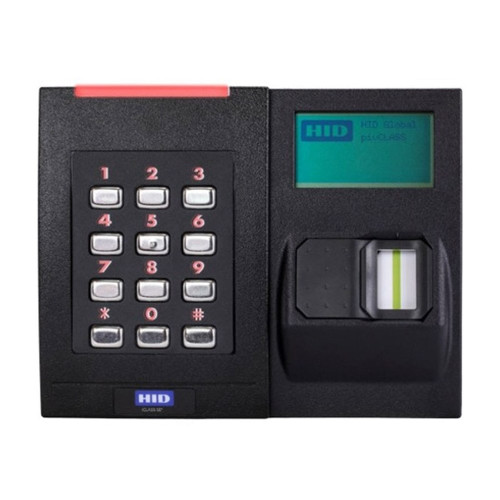
The HID iCLASS SE Series RKLB40 Biometric Wall Plate Keypad Reader (928NFNTEK000TE) is a wall mount access control reader from HID that puts a fingerprint sensor, an illuminated 4 x 3 keypad, a display and a contactless card reader in one black unit. A door can ask for a card and a fingerprint, a card and a PIN, or all three.
The fingerprint template is stored on the user's own card, not in the reader or a central database, and users are enrolled at the reader itself. It is a reader, not a standalone controller: it must be wired to an access control panel over Wiegand and fed from a 12 V DC supply - the panel decides who gets in and drives the lock. If you need a unit that controls a lock by itself, see the standalone options in the reader-only note below.
Check your cards before you order. The RKLB40 reads Seos 8K and 16k to 32k iCLASS credentials only. It does not read iCLASS SE, 2k bit iCLASS, MIFARE or 125 kHz proximity cards, and it does not work with phones - the Credential Compatibility table has the detail. The housing is IP55 rated, the working range is -10 to 50 deg C, and the reader carries the RCM mark for Australia and New Zealand.
Usually ships same day if ordered before 11am AEST (excludes weekends and Queensland public holidays).

The RKLB40 has no lock relay and holds no users of its own. It checks the finger against the card, then passes the card to an access control panel, and the panel releases the electric strike, magnetic lock or other locking device. You also need a 12 V DC power supply and the cable run back to the panel - none of these are in the box. Looking for a fingerprint unit that works on its own? The McGrath TGFP70 access control keypad has a fingerprint sensor and its own relay, the Neptune ACKPWB6K is a standalone keypad, and there are more in our keypads range. Not sure which way to go? Ask for a locksmith recommendation.
Access Methods
Every entry starts with a card. The reader can then ask for a fingerprint, a PIN or both - HID calls this up to three-factor authentication. Only two families of card work with it, so read the Credential Compatibility table before you order.
 Credential Compatibility
The fingerprint template is written to the card itself, and the list of credentials the RKLB40 works with is short.
Fingerprint templates made on HID's older 6180A enroller are not compatible either. Not sure what your cards are? Send us a photo of the card and any numbers printed on it and we will check before you order. HID's own compatibility list is on page 2 of the RKLB40 datasheet (PDF).
How Fingerprint Enrolment Works
All enrolment is done at the reader - there is no separate enrolment station or software. The template is written to the user's card, and at the door the reader compares the finger with the card in front of it.
- Initial setup. At first power-up the display walks you through the language, the credential type (Seos or iCLASS) and the operating mode.
- Site key (Seos only). Enter a site key of 6 to 11 characters. It encrypts the fingerprint data on the cards so they are unique to your site, and it must be entered identically on every reader there.
- Enrol an Admin card. The reader captures two fingers, three scans each, and writes the template to the card.
- Enrol users the same way from the Administration menu, which an Admin card opens.
- At the door: present the card, then the finger when the display asks for it. The reader beeps, flashes green, shows Success and sends the card's access data to the panel. Where the door also uses a PIN, it is keyed on the keypad and checked by the panel.
Three operating modes

- Do not press too hard, and do not slide or roll the finger across the sensor.
- Keep the finger still on the sensor for at least two seconds.
- At enrolment, lift and reposition the finger slightly between the three scans so the sensor collects more of the print.
- If the finger does not match, the reader asks again. After four failed attempts the display returns to Present Card and the user starts over.
- A card with no fingerprint template on it shows Security Error.
 Key Features
- Up to three-factor authentication - card and fingerprint, card and PIN, or card, fingerprint and PIN at the same door.
- Template on the card - the fingerprint template is stored on the user's own smart card, which avoids keeping a fingerprint database. See How Fingerprint Enrolment Works.
- Enrolment built in - users and administrators are enrolled at the reader, with on-screen prompts.
- Illuminated display and 4 x 3 keypad with prompts in ten languages, including English.
- Seos and iCLASS - reads Seos 8K and 16k to 32k bit standard iCLASS credentials. See Credential Compatibility.
- Migration from bioCLASS - bioCLASS templates stored on standard iCLASS cards are supported, alongside the ANSI-378 template standard on Seos.
- Visitor cards - on iCLASS sites, generic visitor cards can be prepared in advance and used without enrolling the visitor's fingerprint.
- Keys held in secure hardware - an EAL5+ certified crypto processor.
- Wiegand output to the panel, on a terminal strip connection, with a tamper output and a hold input.
- Display left or right - the display normally sits to the right of the keypad, and the two can be swapped at installation.
- IP55 rated, with UL 294 indoor and outdoor ratings.
- RCM marked for Australia and New Zealand.
 What's in the Box
- 1 x HID iCLASS SE RKLB40 biometric keypad reader and base plate assembly, with terminal strip connection
- 2 x terminal connectors
- 1 x mounting gasket
- 4 x M3.5 x 12 mm Phillips machine screws
- 4 x #6-32 x 0.375 inch Phillips self-tapping machine screws
- 4 x #6 x 1.5 inch Phillips sheet metal screws
- 3 x #6-32 x 0.4375 inch spanner security screws, anti-tamper (black)
- 3 x #6-32 x 0.4375 inch Phillips security screws (black)
- 1 x installation guide
- 2 x configuration cards - SE BIO Initial Setup Reset Card 1 and Card 2
The access control panel, 12 V DC power supply, cable, junction box, credentials, the HID 04-0001-03 security tool for the spanner security screws and a reader spacer for metal junction boxes are not included.
 Suitable Uses
- Higher security doors where a lost or borrowed card should not be enough - server rooms, restricted offices, plant and records rooms.
- Sites that want a fingerprint check without keeping a fingerprint database - the template stays on the user's card.
- Sites on Seos 8K or 16k to 32k bit iCLASS credentials, on a panel with Wiegand reader inputs.
- Sites replacing HID bioCLASS readers and keeping their iCLASS cards, where those cards are 16k or 32k bit.
- Doors that call for two or three factors - card and finger, card and PIN, or all three. See choosing a platform for commercial, office and retail sites.

Standalone use without an access control panel - it cannot switch a lock on its own. Fingerprint-only entry - a card is always presented first; for a standalone fingerprint keypad see the McGrath TGFP70 or our fingerprint range. Sites using iCLASS SE, 2k bit iCLASS, MIFARE or 125 kHz proximity cards, or phones - none of them work with it; see the HID Signo 40K keypad reader. Panels that need OSDP - this reader is supplied for Wiegand. Positions that fall below -10 deg C or climb above 50 deg C - a wall in full afternoon sun can pass that. See how sunlight and heat affect electronics.
 Available Finish Options
 Black
Black
(This Product)
STK 928NFNTEK000TE
Finish selection does not affect functionality, compliance, or performance. HID makes the RKLB40 in black only.
 HID Reader Range
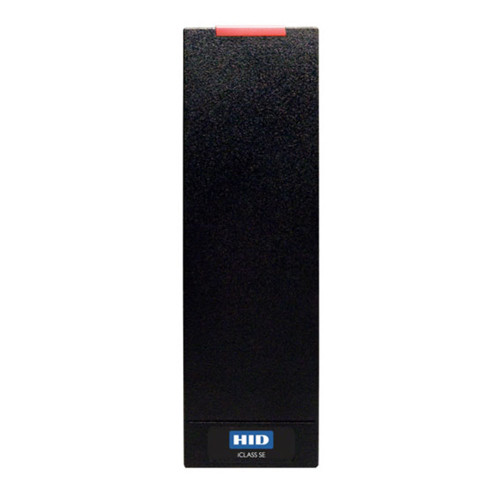
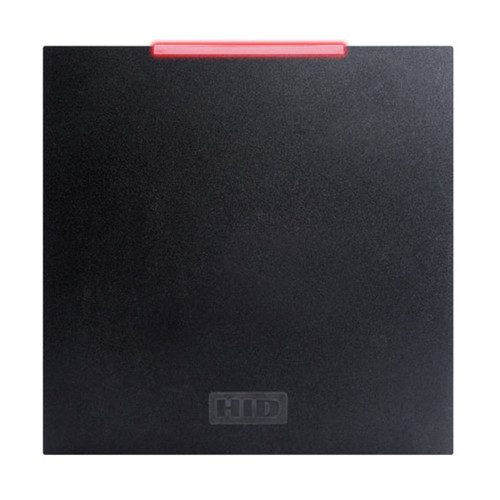
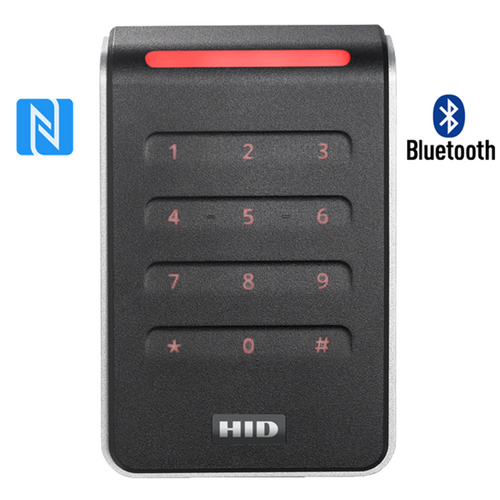
The RKLB40 is the only fingerprint reader in the HID range we list. The other readers are shown so you can compare shape, keypad and size.
This product is the bold row. None of the Signo readers has a fingerprint sensor; all of them read phones and a wider range of cards. HID's part number 928NFNTEK000TE is the black RKLB40 with a terminal strip, Wiegand output and the fingerprint template held on the card.
 Accessories and Credentials
Credentials we stock for it
These are the two stocked credentials HID documents for the iCLASS SE Biometric Reader. Our iCLASS cards, fobs and tags are 2k bit and do not work with it - contact us for 16k or 32k bit iCLASS cards. The RK40 IP65 gasket pack we list is HID's kit for a different reader, the RK40, and HID does not list it for the RKLB40, which comes with its own mounting gasket.
 Power, Wiring and Panel Connection
The reader runs from 12 V DC and connects to the panel through its terminal strip - two terminal connectors, P1 and P2, supplied with the reader. It sends the card, and the PIN where one is used, to the panel over Wiegand.
Terminal connectors
- HID quotes two sets of current figures: 195 mA standby, 255 mA maximum average and 320 mA peak on the RKLB40 datasheet, and 165, 215 and 275 mA in its installation guide. Size the supply on the higher figures - either way the reader draws far more than a card-only reader.
- This part number is the Wiegand reader, which uses the Data 0 and Data 1 terminals on P2. HID's datasheet states that the OSDP biometric commands and pivCLASS embedded authentication are not supported.
- The reader is static sensitive - handle it as you would any electronic board.
- Check that your panel's reader port is set for Wiegand, and for the card format your credentials carry, before the reader goes on the wall.
 Full Specifications
 Dimensions
At 122 mm wide the RKLB40 is half as wide again as a wall switch size reader such as the Signo 40K (80 mm), which is why HID prefers a double gang box behind it.
 Installation and Setup
The reader is double gang size. HID designs it to mount on a double gang switch box, which it prefers for a stable wall mount, or on a single gang box.
- Fix the wall backplate and the supplied mounting gasket to the junction box. The backplate has mounting holes for US double gang electrical boxes; the junction box is not included.
- Wire it. Land the panel cable on the two terminal connectors using the terminal table above. There is no pigtail lead to join.
- Attach the reader. The reader, the display and their own backplate come as one assembly. Mount it on the wall backplate and slide it to the right to lock, then fit the security screws - HID supplies a Phillips set and a spanner anti-tamper set.
- Power up and test with a card. HID's guide shows the reader giving a sound and a light at power-up and again when a card is presented.
- Run the Initial Setup. At first power-up the display starts the Initial Setup menu - language, credential type, operating mode, then the site key on Seos sites, then the first Admin card. The steps are under How Fingerprint Enrolment Works.
- Changing your mind later: language, credential type and mode can be changed from the Administration menu. To start again from scratch, use the two reset cards supplied.
- Resetting to Initial Setup: power-cycle the reader and, within 15 seconds, hold Reset Card 1 to the keypad until the beeping stops and the LED is solid red or flashing blue and red. Power-cycle again and do the same with Reset Card 2.
- Display on the left: the display normally sits to the right of the keypad. To swap them, turn the wall backplate 180 degrees and reassemble the reader and display on their backplate with the display on the left, as HID's guide shows. Do it before wiring, and do not pull on the ribbon cable that joins the two.
- Pick a position inside the reader's -10 to 50 deg C working range, out of direct afternoon sun where you can.
- HID recommends a reader spacer when a metal junction box is used. We do not list one for the RKLB40, so contact us.
- The spanner security screws need HID's 04-0001-03 security tool, which is not supplied.
- Leave the PIN Required setting at Not Required. It is for readers ordered with HID's Local PIN Verify option, which this part number does not have.
- Store the two reset cards and at least one Admin card somewhere safe. Without an Admin card the only way back in is a reset and a fresh setup.
- Clean the sensor with a dry cloth only, using gentle movements. Acidic liquids, alcohol and abrasive materials are prohibited.
 Frequently Asked Questions
No. It checks the finger against the card, then passes the card to an access control panel, which makes the decision and releases the lock. You need a compatible panel with a Wiegand reader input and a 12 V DC supply. If you want one unit that does it all, look at a standalone fingerprint keypad such as the McGrath TGFP70 instead.
Seos 8K cards and fobs, and standard iCLASS credentials with 16k to 32k bit memory. iCLASS SE, 2k bit iCLASS, Seos 16K, MIFARE and 125 kHz proximity cards do not work, and neither do phones. We stock the HID Seos 8K key fob and the HID Seos 8K clamshell card for it.

On the user's own card. The reader writes the template to the card at enrolment and compares the finger with the card at the door, so there is no central fingerprint database to manage or protect.
No. A card is always presented first, because the template the finger is checked against is on the card. A lost card on its own is no use to a finder either, as long as the door is set to ask for the finger.

It is IP55 rated with UL 294 indoor and outdoor ratings, but its working range is -10 to 50 deg C - narrower than HID's card-only readers. Choose a shaded, sheltered position.
Additional Information
- Check card memory before you order. The RKLB40 needs Seos 8K or 16k to 32k bit iCLASS credentials. A 2k bit iCLASS card - the size we stock - will not work.
- Keep an Admin card and the reset cards safe. HID's guide warns that the only way to get a replacement Admin card is to reset the reader and go through the initial setup again.
- One site key for every reader. On Seos sites the site key is what encrypts the fingerprint data on the cards. HID's guide says it must be entered identically on every reader on the site, and it should be kept secure.
- Know what the sensor does. It is an optical sensor that matches a finger to the template on the card. HID's own comparison chart lists no liveness or spoof detection for the RKLB40, so add the PIN where the risk calls for it.
- Plan for privacy. Biometric readers should be installed in line with your site's security and privacy policies. Keeping the template on the card, not in a database, makes that easier to explain to staff.
 Warranty
The HID iCLASS SE Biometric Reader is warranted by HID Global against defects in materials and workmanship for one year, as stated on its datasheet - HID's biometric readers carry a fixed term rather than the lifetime cover that applies to the rest of the HID reader range. Proof of purchase required for all claims.
 Download PDF Resources
Two-page datasheet - overview on page 1 and the specification table on page 2, including the credential compatibility list, current draw, temperature range and the one-year warranty.
Four-page user guide - initial setup, operating modes, the site key, enrolling users and administrators, the configuration menus, the reset cards and sensor cleaning.
Eight-page installation guide - the parts list, cable lengths, mounting on a double gang box, the terminal table, attaching the reader, the alternate display position, fingerprint sensor care and how to present a card. It names the reader by its regulatory model, RKCLB40E.
HID iCLASS SE RKLB40 Biometric Keypad Reader - FAQ, Setup and Owner's Guide
Everything below is here to help you choose, wire, set up and live with the HID iCLASS SE RKLB40 biometric keypad reader. For general questions see our Smart Lock FAQ (Chapter 13), and for the bigger picture start with the Buyer's Guide.
Choosing the Right Reader
It is a wall mount access control reader with a fingerprint sensor, an illuminated 4 x 3 keypad, a display and a contactless card reader. It checks a user's finger against the template on their card, then passes the card to an access control panel. It is 122 mm wide, 156 mm long and 30 mm deep, runs on 12 V DC and is IP55 rated.
No. It has no relay to switch a lock and no user list of its own - it is one part of a wired access control system. The panel holds the access rights and releases the door. For a fingerprint unit that works alone, see the McGrath TGFP70 access control keypad or the rest of our fingerprint range.

The RKLB40 adds a fingerprint sensor and a display, and it enrols users itself. The HID Signo 40K keypad reader has no fingerprint sensor, but it reads phones and a much wider range of cards, speaks OSDP, is IP65 rated and carries HID's lifetime reader warranty. Choose the RKLB40 only where the fingerprint check is the point.
No. HID Mobile Access is not supported on the RKLB40. Every Signo reader, such as the HID Signo 40K keypad reader, reads phones over Bluetooth and NFC.

Something you have, something you are and something you know: the card, the fingerprint and the PIN. The reader can be set to ask for card and fingerprint, card and PIN, or all three.
Yes. In Enroller Only mode it enrols user and Admin cards and does not process access, so it can sit in an office while Reader Only units go on the doors.
Fingerprints and Enrolment
From the Administration menu, which an Admin card opens. The reader captures two fingers, three scans each, and writes the template to the user's card. The steps are under How Fingerprint Enrolment Works.
Neither. The template is stored on the user's own card and verified at the reader, so there is no fingerprint database to manage.
Three scans give the sensor more of the print to work with. HID recommends this High Quality capture setting because it makes a successful match at the door more likely. A Low Quality setting takes one scan per finger.
Do not press too hard, keep the finger still for at least two seconds and do not slide or roll it. If it still fails, the reader asks again; after four failed attempts the display returns to Present Card and the user starts over.

The card presented has no fingerprint template on it. Enrol the user on that card first.
With a dry cloth, using gentle movements to lift dust and residue without scratching the surface. HID prohibits acidic liquids, alcohol and abrasive materials.
Cards, Fobs and Compatibility
Seos 8K, and standard iCLASS with 16k to 32k bit memory. The Credential Compatibility table lists what is not compatible.
Only if they are standard iCLASS cards with 16k or 32k bit memory. 2k bit iCLASS cards and iCLASS SE cards are not compatible. Send us a photo of a card and we will check it for you.
The HID Seos 8K key fob and the HID Seos 8K clamshell card - choose the 5656 clamshell option on that listing. They are the two stocked credentials HID documents for this reader.
No. HID lists Seos 16K as not compatible with the RKLB40. Seos 8K is the one to order.
bioCLASS templates stored on standard iCLASS cards are supported. Templates made on HID's 6180A enroller are not compatible, so those users would need to be enrolled again.
On a site set up for iCLASS, visitor cards can be enabled. They are generic cards prepared ahead of time and handed to visitors, and the reader does not ask for a fingerprint with them. The option is off by default.
PIN and Multi-Factor Settings
At the panel. This part number is HID's standard configuration, in which the PIN keyed at the reader is sent to the door controller for verification.
It belongs to HID's Local PIN Verify option, a special-order configuration where the reader itself checks a PIN stored on the card. This part number does not have it, so the setting must stay at Not Required.
Yes. The BIO Required setting can be changed to No, and the reader then passes the card without asking for a finger. On Seos sites the card still needs a fingerprint template enrolled on it.
Where the reader's own Local PIN Verify option is fitted, 1 to 12 digits, ended with the # key. With the standard configuration the PIN rules are set by your access control panel.
Power and Wiring
12 V DC. It draws 195 mA on standby, up to 255 mA on average during continuous card reads and 320 mA at peak - well above a card-only reader, so size the supply for it.
It works with panels that take Wiegand readers. Tell us the panel make and model and we will confirm it before you order.
No. This part number is the Wiegand reader, and HID's datasheet states that the OSDP biometric commands and pivCLASS embedded authentication are not supported. If your panel needs OSDP, look at a Signo reader.
By terminal strip. The panel cable lands on two terminal connectors supplied with the reader: P1 carries power, the LED and beeper inputs and hold, and P2 carries the Wiegand data lines and the tamper output. The full table is under Power, Wiring and Panel Connection.
For Wiegand, up to 152 m on 22 AWG cable or 91 m on 24 AWG. HID recommends 6 to 9 conductor cable with an overall shield to carry Wiegand and power.
Installation and Setup
A double gang switch box, which HID prefers for a stable wall mount, or a single gang switch box. The wall backplate has mounting holes for US double gang electrical boxes and a mounting gasket is supplied. The junction box is not.
Four M3.5 x 12 mm Phillips machine screws, four #6-32 x 0.375 inch self-tapping machine screws, four #6 x 1.5 inch sheet metal screws, and two sets of three black #6-32 security screws - one Phillips, one spanner anti-tamper. A mounting gasket and two terminal connectors are in the box too. The HID 04-0001-03 tool for the spanner screws is not.
Yes. The display normally sits to the right of the keypad. HID's installation guide shows an alternate assembly with the display on the left: the wall backplate is turned 180 degrees and the reader and display are swapped on their own backplate. It is done before wiring, and the ribbon cable between the two must not be pulled.
No. A mounting gasket is in the box and goes on with the wall backplate. The RK40 IP65 gasket pack we list is HID's kit for a different reader and is not listed for the RKLB40.

The Initial Setup menu runs: choose the language, the credential type and the operating mode, set the site key on a Seos site, then enrol or verify an Admin card. The reader then restarts in the mode you chose.
A key of 6 to 11 characters, used on Seos sites, that encrypts the fingerprint data on the cards so they are unique to the site. It must be entered identically on every reader on the site and kept secure.
They are the SE BIO Initial Setup Reset cards. Presented in order after a power cycle, they return the reader to the Initial Setup menu. Keep them somewhere safe.
Yes, from the Configuration menu. Ten languages are available: English, French, German, Spanish, Russian, Portuguese, Italian, Chinese, Japanese and Korean.
A security installer or locksmith. The reader is one part of a wired system and has to be matched to the panel. An access control reader is a job for a security installer or locksmith - see when DIY is and is not appropriate, our advice and installation page and installation across the Gold Coast.
Weather, Care and Troubleshooting
It is IP55 rated with UL 294 indoor and outdoor ratings. The limit to watch is temperature: the working range is -10 to 50 deg C, so keep it out of direct afternoon sun. See our guide to IP ratings.
Hold the card between thumb and index finger so the finger keeps a gap between the card and the reader face, and keep the card parallel to the reader. HID advises against laying the card flat on the reader or angling it.
Reset the reader with the two reset cards and run the Initial Setup again to enrol a new Admin card. HID's guide gives no other way to replace one, which is why it says to keep at least one Admin card on site.
On a reader without the Local PIN Verify option, reset it with the two supplied reset cards and set PIN Required to Not Required during setup.
Compliance and Warranty

Yes. HID lists the RCM mark for Australia and New Zealand among its certifications, with UL294, FCC, IC and CE.
One year, as stated on HID's datasheet for this reader. HID's lifetime reader warranty does not apply to the RKLB40. Details are under Warranty.
HID's own comparison chart lists no liveness or spoof detection for the RKLB40. Where that matters, set the door to ask for the PIN as well.
Yes. Terry's offers site surveys and installation on the Gold Coast. Start with a site survey or our advice and installation page.
Related Products, Guides and Chapters
HID iCLASS SE readers: iCLASS SE R15 Reader | iCLASS SE U90 Long Range UHF Reader
HID Signo readers: Signo 20 - Black | Signo 20 - White | Signo 20K - Seos Profile | Signo 20K - Smart Profile | Signo 20K - Standard Profile | Signo 40 | Signo 40K | Signo 40T
Credentials for the RKLB40: Seos 8K Key Fob | Seos Clamshell and ISO Cards (5656 Option)
Browse: All HID products | Fingerprint | PIN Code | Card and Fob Access | Keypads | RFID Fobs, Tags and Cards
Buyer's Guide chapters: Ch 03 Fingerprint Entry | Ch 03 Access Methods Compared | Ch 10 Commercial Brands | Ch 11 Standards and IP Ratings | Ch 12 Installation | Ch 13 Smart Lock FAQ
Helpful reading: Platforms for Commercial, Office and Retail | Site Survey and Installation | How Long Do Digital Door Locks Last?
What's in the Box - HID iCLASS SE RKLB40 Biometric Keypad Reader
- 1 x HID iCLASS SE RKLB40 biometric keypad reader and base plate assembly, with terminal strip connection
- 2 x terminal connectors
- 1 x mounting gasket
- 4 x M3.5 x 12 mm Phillips machine screws
- 4 x #6-32 x 0.375 inch Phillips self-tapping machine screws
- 4 x #6 x 1.5 inch Phillips sheet metal screws
- 3 x #6-32 x 0.4375 inch spanner security screws, anti-tamper (black)
- 3 x #6-32 x 0.4375 inch Phillips security screws (black)
- 1 x installation guide
- 2 x configuration cards - SE BIO Initial Setup Reset Card 1 and Card 2
PDF Files - HID iCLASS SE RKLB40 Biometric Keypad Reader
Two-page datasheet - overview on page 1 and the specification table on page 2, including the credential compatibility list, current draw, temperature range and the one-year warranty.
Four-page user guide - initial setup, operating modes, the site key, enrolling users and administrators, the configuration menus, the reset cards and sensor cleaning.
Eight-page installation guide - the parts list, cable lengths, mounting on a double gang box, the terminal table, attaching the reader, the alternate display position, fingerprint sensor care and how to present a card. It names the reader by its regulatory model, RKCLB40E.
HID's ordering guide for its iCLASS SE readers and credentials. Page 14 sets out how the biometric reader part number is built.
Datasheet for the Seos 8K key fob, including its fingerprint template read and write range at the iCLASS SE Biometric Reader.
Datasheet for the Seos 8K clamshell card, including its fingerprint template read and write range at the iCLASS SE Biometric Reader.
HID Warranty
HID branded readers, credentials and accessories are covered by warranties issued by HID Global Corporation and its affiliated entities (part of ASSA ABLOY), distributed in Australia by LSC. Most HID readers and HID-branded credentials carry lifetime cover; a small number of specific models and accessories carry a fixed term instead.
The summary below sets out HID's published warranty structure. All warranty claims are handled by Terry's Tradies Pty Ltd and its associated websites, trading names, and subsidiaries. Full terms and exclusions are set out in the official HID Global Warranty Policy linked at the base of this page.
Warranty Summary
Understanding "Lifetime" Cover
HID's published policy uses the term "Lifetime Warranty Period" without defining it further - it is not stated as a fixed number of years, "for the life of the product", or "as long as you own it". It applies for as long as HID continues to honour that stated period under its published policy.
How to Make a Claim
- Contact Terry's Tradies Pty Ltd and its associated websites, trading names, and subsidiaries with your proof of original purchase and a description of the fault.
- Where a claim needs to be escalated, HID requires written notice from the end customer within the applicable warranty period - we handle this notification on your behalf.
- HID's remedy, at its own option, is to repair the product, replace it, or issue a credit towards a future purchase.
- Postage, insurance and shipping costs to present hardware for warranty assessment are the end customer's responsibility under HID's policy - we'll advise what's needed before anything is sent.
 Exclusions
This warranty does not cover, and will be voided by, any of the following:
- Installation by anyone other than HID or an HID-authorised installer
- Use other than as authorised in HID's own documentation
- Modification, alteration or repair by a party other than HID
- Combination with hardware, operating systems or tools not provided by HID
- Accident, neglect, misuse or negligence
- Upgrades, evaluation units and demonstration units
- Consumables - batteries, paper, pads, cleaning solution, towels, cartridges and cables
Important Notes
This manufacturer warranty applies in addition to your rights under the Australian Consumer Law. Our goods come with guarantees that cannot be excluded under the ACL. You are entitled to a replacement or refund for a major failure and to compensation for any other reasonably foreseeable loss or damage. Where a failure does not amount to a major failure, you are entitled to have the goods repaired or replaced.
HID's published policy states the warranty is solely for the benefit of the original end customer. Products purchased through Terry's Tradies Pty Ltd and its associated websites are covered as supplied - contact us in the first instance for any claim rather than approaching HID directly.
A small number of HID accessories (such as certain Signo mounting plates and wall spacers) are not individually named in HID's published policy. Where this applies, contact us to confirm the term that applies to your specific item before relying on the Lifetime cover shown above for readers.

Confused? Overwhelmed? We get it.
Choosing the right smart lock can be genuinely tricky - door types, backsets, app platforms, compatibility with your existing hardware... there is a lot to consider. We have decades of experience fitting locks of all types, including smart locks, and we are happy to help.
Our expert recommendation service is free. Upload a few photos of your door and describe what you need, and one of our qualified locksmiths will give you a personalised recommendation.
Get Your Free Recommendation →How it works - three easy steps:
1. Upload photos
A few clear shots of your door, lock and frame - inside and out.
2. We assess
Our locksmith reviews your setup and requirements - door type, weather exposure, how you want to use it.
3. You get a recommendation
A personalised recommendation tailored to your door, budget and needs. No pressure, no upsell.
Also useful while you are deciding: