Airbnb Smart Locks in Australia: Do You Really Need WiFi?
Posted by Mat Steele on 20th Feb 2026
Airbnb Smart Locks in Australia: Do You Really Need WiFi?
A practical decision guide for short-stay hosts comparing Igloohome's offline algoPIN system with TTLock/McGrath's gateway-based automation.
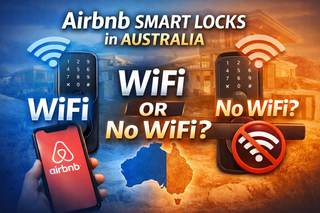
If you’re running an Airbnb or short-stay property in Australia, the most common question we hear in the showroom is:
“Do I need WiFi for a smart lock to work?”
The short answer is: No — not for the lock to function or for guests to enter. But the right answer for your setup depends on what you mean by “work.”
This guide covers:
- How smart locks actually generate offline access codes
- What automation features genuinely require WiFi (and which don’t)
- The real differences between Igloohome and TTLock/McGrath for hosts
- Which setup suits single-property hosts versus multi-property operators
- A clear comparison table to route you to the right deep-dive guide
For the canonical reference covering all aspects of Airbnb smart locks, see Chapter 07 — Airbnb & Short-Stay Rentals in the Smart Lock Buyer’s Guide.
Airbnb Smart Lock Integration in Australia — What You Need to Know
Many hosts assume smart locks connect natively to Airbnb in the same way a video doorbell or thermostat might. In Australia, this is not how it works in practice.
Airbnb’s native “Smart Lock” connection inside the Airbnb host app is currently limited and is not widely available across Australian properties. Instead, two practical approaches dominate the market:
Approach 1 — The lock’s own app reads your Airbnb bookings.
Used by Igloohome. The igloohome app authenticates with your Airbnb account, reads check-in and check-out times, and generates a unique time-limited PIN for each confirmed reservation. The PIN is validated locally on the lock — no WiFi needed at the property.
Approach 2 — A third-party Property Management System (PMS) creates and manages codes.
Used by TTLock (which powers McGrath, Lockton, Austyle and other hardware brands). A PMS — like Hospitable, Uplisting or RemoteLock — sits between Airbnb and TTLock’s cloud, pushing codes to the lock via a gateway when bookings are confirmed.
These two approaches behave very differently in practice, especially when WiFi at the property is unreliable, intermittent or absent. The rest of this guide unpacks what each does and where each fits.
Do Airbnb Smart Locks Work Without WiFi?
Yes — most modern smart locks designed for short-stay hosting can generate time-based access codes that function without WiFi at the lock itself.
The mechanism is the same in principle for both platforms: codes are cryptographically tied to the lock’s unique ID and validated by the lock’s internal clock. The lock doesn’t need to phone home to check whether a code is valid — it can do the maths locally.
However, “the lock works without WiFi” is not the same statement as “your entire hosting workflow works without WiFi.” The gap between those two statements is where Igloohome and TTLock diverge significantly.
Igloohome for Airbnb Without WiFi
Igloohome locks generate time-based PINs using a proprietary system called algoPIN. The codes are calculated using the lock’s unique factory ID, the booking time window, and the lock’s internal clock — all without needing to contact a server in real time.
With Airbnb Connect enabled in the igloohome app, the system can:
- Read confirmed Airbnb bookings directly (the only platform that does this natively without a PMS)
- Automatically generate a time-limited PIN for the booking window
- Send the PIN to the guest before check-in
- Expire the PIN automatically at checkout
None of this requires WiFi at the property. Your phone needs internet to authorise Airbnb access and to generate the code, but the lock itself operates standalone.
- Instantly revoke a code remotely (you can only mark it for revocation; the lock learns about it next time it’s in Bluetooth range of your phone)
- Unlock the door remotely
- Check live battery status from anywhere
- Receive real-time entry notifications
- Download access logs without visiting the lock
For single-property hosts who want a clean, low-fuss setup with minimal infrastructure, the offline algoPIN model is genuinely excellent. For the full mechanics, see our deep-dive guide: Using Igloohome for Airbnb in Australia.
TTLock / McGrath Smart Locks Without WiFi
TTLock smart locks (sold under brands including McGrath, Lockton and Austyle in Australia) can also generate time-based offline PINs. These codes work without WiFi at the property and are validated locally by the lock.
The critical difference: the TTLock app does not automatically read your Airbnb bookings. There is no built-in “Airbnb Connect” equivalent that pulls reservation data into the lock’s app.
You must manually create and send each booking-based PIN. The lock works, but the “automation” piece becomes you doing the work between Airbnb and the lock for every reservation.
When TTLock genuinely shines is when WiFi is available and a Property Management System sits between Airbnb and the lock. At that point, automation scales remarkably well across multiple properties — which is exactly the use case it’s engineered for. The deep-dive: Using TTLock / McGrath for Airbnb in Australia.
Adding WiFi and a Gateway — What Actually Changes
Both platforms become more capable when paired with reliable WiFi and a gateway (sometimes called a bridge or hub). The gateway sits in the property, connects to your WiFi, and bridges the lock’s Bluetooth signal to the internet so you can manage everything remotely.
A gateway unlocks the same set of features regardless of which platform you choose:
- Automatic code creation and revocation tied to bookings (via PMS for TTLock; natively for Igloohome)
- Real-time entry notifications
- Live access logs — including cleaner attendance tracking
- Remote battery monitoring
- Remote unlock for emergencies or trades
- Scalable multi-property management
For Igloohome, the igloohome Wi-Fi Bridge serves this role. For TTLock locks, the Lockton G2 Gateway or McGrath G5 Gateway are the common choices. For a full breakdown of gateway options across both ecosystems, see Chapter 08 — Smart Lock Gateway Comparison in the Buyer’s Guide.
Igloohome vs TTLock/McGrath at a Glance
| Capability | Igloohome | TTLock / McGrath |
|---|---|---|
| Reads Airbnb bookings natively in its own app | Yes (Airbnb Connect) | No — requires a PMS |
| Works without WiFi at the property | Yes (algoPIN) | Yes (offline PINs) |
| Automatic PIN generation without WiFi | Yes | No — manual code creation |
| Gateway required for full automation | Only for remote monitoring/unlock | Yes — for any automation |
| Multi-property scalability | Functional but manual at scale | Strong — designed for it via PMS |
| PMS integrations (Hospitable, Uplisting, etc.) | Limited | Broad — six major platforms |
| Australian door compatibility (range breadth) | Specific products per door type | Broader format range |
| Best for | Single-property hosts, occasional hosts, no-WiFi properties | Multi-property operators, existing PMS users |
For the deeper security disclosure and feature analysis behind this comparison, see Chapter 14 — TTLock vs Igloohome in the TTLock Platform Guide.
Smart Locks for Australian Doors — Why Compatibility Matters
Australian doors commonly use:
- 60mm or 70mm backsets on timber doors
- Mortice locks (where the lock body is housed inside the door edge)
- Narrow aluminium-frame doors
- Security screen doors
- Fire-rated apartment entry doors
- Euro cylinder locks on some apartment and modern installs
This range matters because a lock that’s perfect on a 38mm timber door in the United States won’t fit a 70mm Australian mortice door. Some products are excellent for specific Australian door types and won’t fit others at all. Always confirm door thickness, backset and stile width before ordering — see Chapter 02 — Measuring Your Door for the six measurements that determine fit.
The McGrath range was engineered specifically for Australian door standards and offers the broadest format coverage. Igloohome’s range is narrower but each product is designed for a specific application — the Smart Mortice Lock V2 for 40-70mm timber doors with a 70mm fixed backset, the Deadbolt Go for 35-45mm timber deadbolt installations, the Retrofit Lock for Euro cylinder doors where no drilling is wanted, and the Smart Bluetooth Padlock 2 for gates and non-standard access points.
The Simplest Option for Occasional Hosts — the Igloohome Keybox 3
Not every Airbnb host wants to replace their door hardware. For occasional hosts, holiday homes that are only let out a few weeks a year, or properties where you simply want to keep the existing locks and add a layer of guest convenience, a smart key safe is often the most sensible choice.
The Igloohome Keybox 3 stores a physical key inside a heavy-duty Bluetooth-connected key safe. Guests are given a time-limited PIN to open the box, retrieve the key, and use the existing door lock as normal. The Keybox 3 supports Airbnb Connect natively (so PINs are auto-generated per booking), operates entirely offline, and has an IP66 rating for outdoor wall mounting.
For single-property hosts who don’t want the complexity of replacing locks, this is genuinely the lowest-friction starting point. It’s also a useful backup for properties where the main lock is fire-rated or otherwise can’t be replaced.
Which Airbnb Smart Lock Setup Is Right for You?
Use this as a quick decision framework:
Airbnb + Igloohome (simple, no-WiFi friendly)
Best for: single-property hosts, holiday rentals in patchy-coverage areas, hosts who want minimal infrastructure, occasional hosts. The lock + app handle everything; a Bridge can be added later if remote features become important.
Airbnb + McGrath/TTLock + PMS + Gateway (scalable, managed)
Best for: multi-property operators (5+ listings), hosts already using a PMS or channel manager, professional short-stay management businesses. The investment in gateways and PMS integration pays back in time saved per property.
Airbnb + Keybox 3 (simplest, no door changes)
Best for: occasional hosts, holiday homes, properties where the existing lock can’t or shouldn’t be replaced, hosts wanting to test short-stay hosting before committing to a full smart-lock install.
For independent brand comparisons and acknowledged weaknesses for every major brand sold in Australia, see Chapter 10 — Brand Profiles. For a platform-by-platform feature comparison, see Chapter 15 — Smart Lock App Platforms.
Related Guides in This Series
How algoPIN works, Airbnb Connect setup, and which Igloohome product fits which host scenario.
PMS integrations, gateway selection, and how to scale automation across multiple properties.
A real Airbnb host install, 1,500km remote — how we solved an existing pull-handle compatibility brief in one day.
The canonical reference covering algoPIN, Airbnb Connect, WiFi-drop scenarios, and product fit by host type.
Comparison of igloohome Bridge, McGrath G2/G3/G4/G5, and TTLock gateway options with band steering notes.
Independent brand-by-brand profiles for Igloohome, McGrath, Yale, Lockwood and more — including acknowledged weaknesses.
Need Help Choosing the Right Smart Lock for Airbnb?
Whether you’re running one property or scaling multiple short-stay listings, we can help you choose the right lock, gateway and automation setup.
Ask an ExpertVisit Australia’s leading Smart Lock showroom and workshop:
Gold Coast Smart Locks
9/2 Prosper Crescent
Burleigh Heads, QLD
See working models, compare gateways, and get real advice before you commit.