Auslock Space Alloy A519 — Fully Automatic Push/Pull Smart Lock
The Auslock Space Alloy A519 is the flagship of the Auslock range — the only model with 3D face recognition, palm vein identification, a built-in video intercom, and a fully automatic push/pull mechanism that opens the door without handle operation after any successful authentication. It uses the Usmart Go app rather than the Auslock App used by all other models in the range, and it connects directly to your 2.4 GHz Wi-Fi without a separate gateway.
Mounted on a high-security 6068-grade mortice body, the A519 combines eight distinct access methods in a 79.6 mm × 424.6 mm aluminium alloy panel. The built-in camera enables visitor-triggered remote unlock, real-time live view, and a wandering alarm with photo capture. Available in Black, White, Gold, and Silver. Rechargeable 6,000 mAh lithium-ion battery included — no disposable batteries required.

Save on Door Hardware
The A519 integrates the smart lock and a full-height entrance pull handle into one unit — an ideal solution for a fresh-fit on a new door or major renovation.
Traditional push/pull door installations often require a separate architectural pull handle or push/pull furniture, which can add several hundred dollars to the hardware cost.
By combining lock and handle in one unit, the A519 can significantly reduce total door hardware costs. Pairing it with a roller bolt or roller catch keeps the door closed when unlocked, while the motorised deadbolt controls security.

Wi-Fi is built into this product, so remote access, activity notifications and app control all work over your Wi-Fi network with nothing extra to add. There is no need to buy a separate Wi-Fi gateway (bridge) to unlock the remote features, so you save that added hardware cost and the extra setup step that a Bluetooth-only device relies on for remote access.
 Key Features
- Fully automatic push/pull mechanism — door opens without handle operation after any successful authentication
- Eight access methods — 3D face recognition, palm vein, fingerprint, PIN code, RFID card, Bluetooth app, Wi-Fi remote, and mechanical key
- Built-in Wi-Fi (2.4 GHz) — no separate gateway required; connects directly to your home network
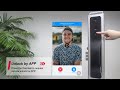
- Built-in video camera — visitor-triggered remote unlock, live view, and photo capture on wandering alarm
- 3D binocular face recognition — dual-camera depth scanning; recognition range 40–100 cm; far more spoof-resistant than flat 2D face recognition
- Palm vein identification — infrared biometric; up to 100 users; unique in the Auslock range
- High-security 6068-grade mortice body — multi-point locking; professional installation recommended
- Rechargeable 6,000 mAh lithium-ion battery — 2 batteries included; Type-C charging; approximately 6 months per battery; no disposable batteries
- Wandering alarm — 3 unrecognised approaches triggers alarm notification with photo to phone
- Up to 300 PIN codes, 300 RFID cards, 100 face profiles, 100 palm vein users, 100 fingerprints
- Available in Black, White, Gold, and Silver
- Usmart Go app — separate from the Auslock App used by all other models; no Google Home or Alexa integration
 Available Finish Options
 Black
Black
STK AUSA519 White
White
STK AUSA519 Gold
Gold
STK AUSA519 Silver
STK AUSA519
All four finishes available on this listing. Finish selection does not affect functionality, compliance, or performance.
 Access Methods
| Method | How It Works | Gateway Required? |
|---|---|---|
 3D Face Recognition |
Binocular 3D face scan; up to 100 users; 40–100 cm range; 120–190 cm height. | No |
 Palm Vein |
Infrared palm vein scan; up to 100 users; 1 scan to register. | No |
 Fingerprint |
Capacitive sensor; up to 100 users; 4 scans to register. | No |
PIN Code |
6–12 digits; up to 300 users; timed and permanent. See PIN guidance. | No |
 RFID Card / Tag |
Contactless card or fob; up to 300 users; 3 key tags included. | No |
 Bluetooth App |
Usmart Go app (iOS and Android) — local unlock within ~5 m. | No |
Wi-Fi Remote Unlock |
Visitor presses doorbell — owner views live camera and enters security password to remotely unlock. Built-in 2.4 GHz Wi-Fi — no gateway required. | No — built-in Wi-Fi |
 Backup Key |
Mechanical override — 2 keys included; keep one outside the premises. | No |
 Google Assistant |
Not supported on this model — see app platform note below. | N/A |
 Amazon Alexa |
Not supported on this model — see app platform note below. | N/A |
3D Facial Recognition Access
The A519 uses binocular 3D face scanning — dual cameras map the depth and geometry of your face rather than simply photographing it. This is the same category of technology used in high-security commercial access control and is significantly more resistant to spoofing than flat 2D face recognition. See the difference between 2D and 3D face recognition.
Face recognition works alongside fingerprint, PIN, RFID, Bluetooth, and mechanical key — choose the method that suits the moment. Register multiple faces at different angles for best recognition reliability.
 App Platform: Usmart Go

Usmart Go is a dedicated smart home platform that manages the A519's remote access, activity logs, member sharing, and doorbell/camera functions. It is available on the Apple App Store and Google Play at no cost.
Remote unlock via doorbell trigger (visitor presses doorbell → you view live camera → enter security password to unlock). Full timestamped activity log. Temporary and time-limited codes for guests and contractors. Member sharing with Manager/User role levels. Wandering alarm with photo-capture notification. Push notifications for lock/unlock events and battery alerts.

No Google Home, Amazon Alexa, Apple HomeKit, or Samsung SmartThings integration. Unlike all other Auslock models, the A519 has no voice assistant compatibility. Remote unlock is doorbell-triggered — you cannot proactively push a remote unlock without a visitor first pressing the doorbell (unless you manually enable live view in settings). No continuous live monitoring without a memory card (not included).
 What's in the Box
- Front panel assembly (display, camera, keypad, 3D face/palm sensors, fingerprint sensor) ×1
- Back panel assembly (battery compartment, reset button) ×1
- 6068-grade mortice lock body ×1; cylinder ×1
- Rechargeable 6,000 mAh lithium-ion battery ×2
- Strike plate ×1; strike box ×1
- RFID key tags ×3; mechanical override keys ×2
- Hardware pack (screws and fixings)
- Installation drawing; user manual
 Suitable Uses
 Full Specifications
| Specification | Detail |
|---|---|
| Model | Auslock Space Alloy A519 |
| SKU | STK AUSA519 |
| Lock type | Fully automatic push/pull; 6068-grade mortice |
| Material | Aluminium alloy (Space Alloy) |
| Finishes | Black; White; Gold; Silver (all on this listing) |
| Front panel | 79.6 mm W × 424.6 mm H × 33.3 mm D |
| Back panel | 80.6 mm W × 456.6 mm H × 19.5 mm D |
| Door thickness | 40–80 mm. See door thickness guide. |
| Door types | Timber and metal — push/pull configuration only |
| Backset | 60 mm fixed. See backset explained. |
| Face recognition | 3D binocular; up to 100 users; range 40–100 cm; height 120–190 cm; 120° scan angle |
| Palm vein | Infrared; up to 100 users |
| Fingerprint | Capacitive; up to 100 users |
| PIN codes | Up to 300; 6–12 digits |
| RFID cards | Up to 300 |
| Admin users | Up to 9 |
| Connectivity | Built-in Wi-Fi 2.4 GHz; Bluetooth — no separate gateway required |
| App platform | Usmart Go (iOS and Android) — separate from the Auslock App used by all other models |
| Voice control | Not supported — Usmart Go does not integrate with Google Home, Alexa, or HomeKit |
| Camera | Built-in; supports live view and recording (memory card required for recording — not included) |
| Power | Rechargeable 6,000 mAh lithium-ion ×2 (included); Type-C charging; ~6 months per battery |
| IP rating | IP55 (external panel); not for outdoor gates or direct rain exposure |
| Operating temperature | -10 °C to 55 °C |
| Operating humidity | 0–95% |
| Certifications | CE, FCC, RoHS |
| Warranty | 12 months |
 Dimensions
Before ordering, confirm your door's five push/pull measurements including door thickness, backset, and the centre-line spindle dimensions for the existing hardware.

Mortice Body — 6068 Grade

| Mortice grade | 6068 high-security |
| Body height | 240 mm |
| Body width | 85 mm |
| Backset | 60 mm |
| Spindle centres | 52 mm |
| Faceplate width | 24 mm |
| Cylinder extension | 18–20 mm beyond door surface |
 Battery, Power & Backup
The A519 uses a rechargeable 6,000 mAh lithium-ion battery — two are included. This is the only Auslock model with a rechargeable battery system; it does not use AA or AAA disposable batteries. Expected battery life is approximately 6 months per battery under normal residential use. Charge via the Type-C port on the front panel; the same port can also provide temporary power from a power bank if the battery is fully flat.
The mechanical backup key provides a final failsafe independent of battery state. Always keep one key at a secure off-site location.
 Frequently Asked Questions
No. The A519 uses the Usmart Go app which does not integrate with Google Home, Amazon Alexa, Apple HomeKit, or Samsung SmartThings. Unlike all other Auslock models, voice assistant control is not available. If voice control is a requirement, contact us before purchasing. See Chapter 15 — Choosing the right app platform.
The A519 uses visitor-triggered remote unlock. When a visitor presses the doorbell on the lock, the Usmart Go app sends a push notification to your phone. You open the app, view the live camera feed, and enter your security password to remotely unlock. You can also enable active view manually in the app (Settings > Video Settings) to monitor the door proactively without waiting for a doorbell press.
No — the A519 has built-in 2.4 GHz Wi-Fi and connects directly to your home network. It is the only Auslock model with native remote access without a separate gateway. This is one of the key advantages of the A519 over the rest of the range.

The motor direction is configured during initial setup via the keypad function menu:
*+#+Admin code#+3.Install+1.Motor+1.Left / 2.Right. Set this before completing installation. Getting the door swing direction correct at this step is critical — an incorrectly configured motor will retract in the wrong direction.
No. The A519 uses the Usmart Go app; all other Auslock models (H05, H06, S3B, H11A/B, H13, N25, T13B, S31B) use the Auslock App. These are separate platforms with separate logins. If you are installing multiple Auslock locks and want a single app, the A519 will require its own separate management.
 Additional Information
The A519 requires full 6068 mortice body installation into the door edge, motor direction configuration via keypad menu, cylinder fitment with a precise 18–20 mm extension, and app pairing via QR code scan. This goes significantly beyond a standard lever set swap. Common install errors include incorrect motor direction, wrong cylinder extension, and misaligned strike. See 3 common installation mistakes before attempting DIY. Professional locksmith installation is strongly recommended.
Register each face following the voice guide — the system instructs you through multiple angle captures. Face recognition works best in stable lighting; strong backlighting or direct sunlight can affect performance. Register at the actual standing distance you will use (40–100 cm from the lock). Register multiple faces per person at different angles for best reliability. For a detailed explanation of how 3D face recognition differs from 2D see Chapter 06 — 2D vs 3D face recognition.
The A519 supports four motor configurations: left push, right push, left pull, right pull. Read the push/pull installation pathway guide before purchasing to confirm the A519 fits your specific door setup. If you are unsure, contact Terry's for a pre-purchase assessment.
 Warranty
12 months from date of sale covering defects in materials and electronic components under normal residential use. Does not cover misuse, improper installation, or vandalism. Terry's Locksmiths manages all Auslock warranty claims — contact us first and we'll handle it from there. This warranty operates alongside your rights under Australian Consumer Law.
 PDF Downloads
Auslock Space Alloy A519 Product Brochure (PDF)
Auslock Space Alloy A519 User Manual (PDF)
Auslock 2026 Product Catalogue (PDF)
For all resources visit the Auslock PDF Resources page.
What's in the Box — Auslock Space Alloy A519
- Front panel assembly (display, camera, keypad, 3D face/palm sensors, fingerprint sensor) ×1
- Back panel assembly (battery compartment, reset button) ×1
- 6068-grade mortice lock body ×1; cylinder ×1
- Rechargeable 6,000 mAh lithium-ion battery ×2
- Strike plate ×1; strike box ×1
- RFID key tags ×3; mechanical override keys ×2
- Hardware pack (screws and fixings)
- Installation drawing; user manual
Auslock Space Alloy A519 — Dimensions
Auslock Space Alloy A519 — Product Brochure


Auslock Warranty
All Auslock products purchased through Terry's Tradies Pty Ltd and its associated websites, trading names, and subsidiaries are backed by a 12-month limited manufacturer's warranty. If something isn't right, contact us first - we manage all warranty assessments on your behalf and will work with you to get it resolved.
Warranty Summary
How to Make a Claim
- Contact Terry's Tradies Pty Ltd at your original place of purchase with a description of the fault.
- Have your proof of purchase ready (receipt or order confirmation).
- Provide clear photos and/or video of the defect - this is required before any assessment can begin.
- We may ask you to complete troubleshooting steps or a technical support form before the item is returned. Do not send the product back without our written approval.
- If the claim is approved, we will arrange the next steps with you directly - including return freight where applicable.
What the Warranty Doesn't Cover
The following are not covered under the Auslock manufacturer's warranty:
- Incorrect or improper installation
- Door or frame misalignment
- Incorrect mortise, latch, or backset selection
- Installation on doors outside the product's specifications
- Environmental exposure beyond the product's stated IP rating
- Water ingress not consistent with the product's IP rating
- Power surge, fire, flood, lightning, or other natural disaster
- Cosmetic damage or normal wear and tear
- Battery misuse or leakage
- Forced entry, vandalism, or tampering
- Unauthorised modification
- Use of non-Auslock components
- Commercial or high-traffic use (unless approved in writing)
Rechargeable battery products (Models A01, A02, A03, A519, A619): Battery-related damage is excluded where a non-certified charger, fast charger, incorrect voltage (outside 5.2V / 2A), third-party battery, or unsuitable charging environment has been used.
Change-of-Mind Returns
Change-of-mind returns are accepted at our discretion and subject to the manufacturer's return conditions. If you've changed your mind, contact us within 14 days of receiving your order and we'll let you know if a return is possible and what applies.
To be eligible, products must be:
- Unused and uninstalled
- Not powered on, activated, paired, programmed, or configured in any way
- In original, fully sealed condition with all packaging, accessories, and components
Where a return is approved, a 20% restocking fee applies and return shipping is at your cost. Products that have been installed, powered on, or had any credentials registered are not eligible for return.
Our goods come with guarantees that cannot be excluded under the Australian Consumer Law (ACL). You are entitled to a replacement or refund for a major failure and compensation for any other reasonably foreseeable loss or damage. You are also entitled to have goods repaired or replaced if they fail to be of acceptable quality and the failure does not amount to a major failure. Nothing in this policy limits or excludes your rights under the ACL.

Confused? Overwhelmed? We get it.
Choosing the right smart lock can be genuinely tricky - door types, backsets, app platforms, compatibility with your existing hardware... there is a lot to consider. We have decades of experience fitting locks of all types, including smart locks, and we are happy to help.
Our expert recommendation service is free. Upload a few photos of your door and describe what you need, and one of our qualified locksmiths will give you a personalised recommendation.
Get Your Free Recommendation →How it works - three easy steps:
1. Upload photos
A few clear shots of your door, lock and frame - inside and out.
2. We assess
Our locksmith reviews your setup and requirements - door type, weather exposure, how you want to use it.
3. You get a recommendation
A personalised recommendation tailored to your door, budget and needs. No pressure, no upsell.
Also useful while you are deciding: